This tour follows a single water load through a working day, then shows the rest of the business. Every screen is real, from the OSM Pro demo with its sample data. Select any screen to see it full size.
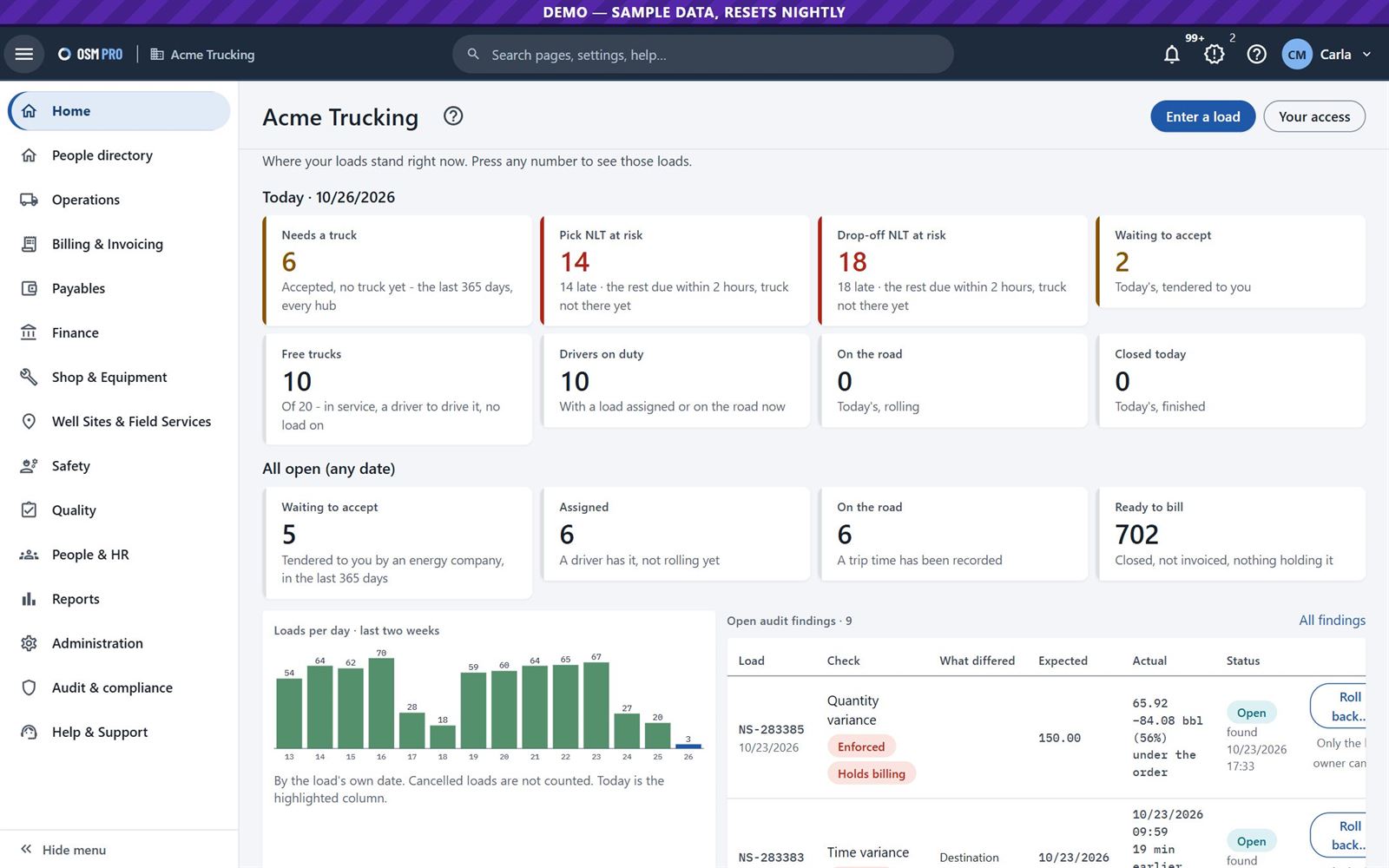
The home page shows where your loads stand right now. Press any number to open those loads.
Loads that need a truck, and pickups or drop-offs at risk of being late.
Free trucks and drivers on duty.
Loads ready to bill, and audit findings that hold a load back.
Home: today's loads, open work and audit findings.
2
The energy company sends the load straight to its carrier
Energy company · logistics
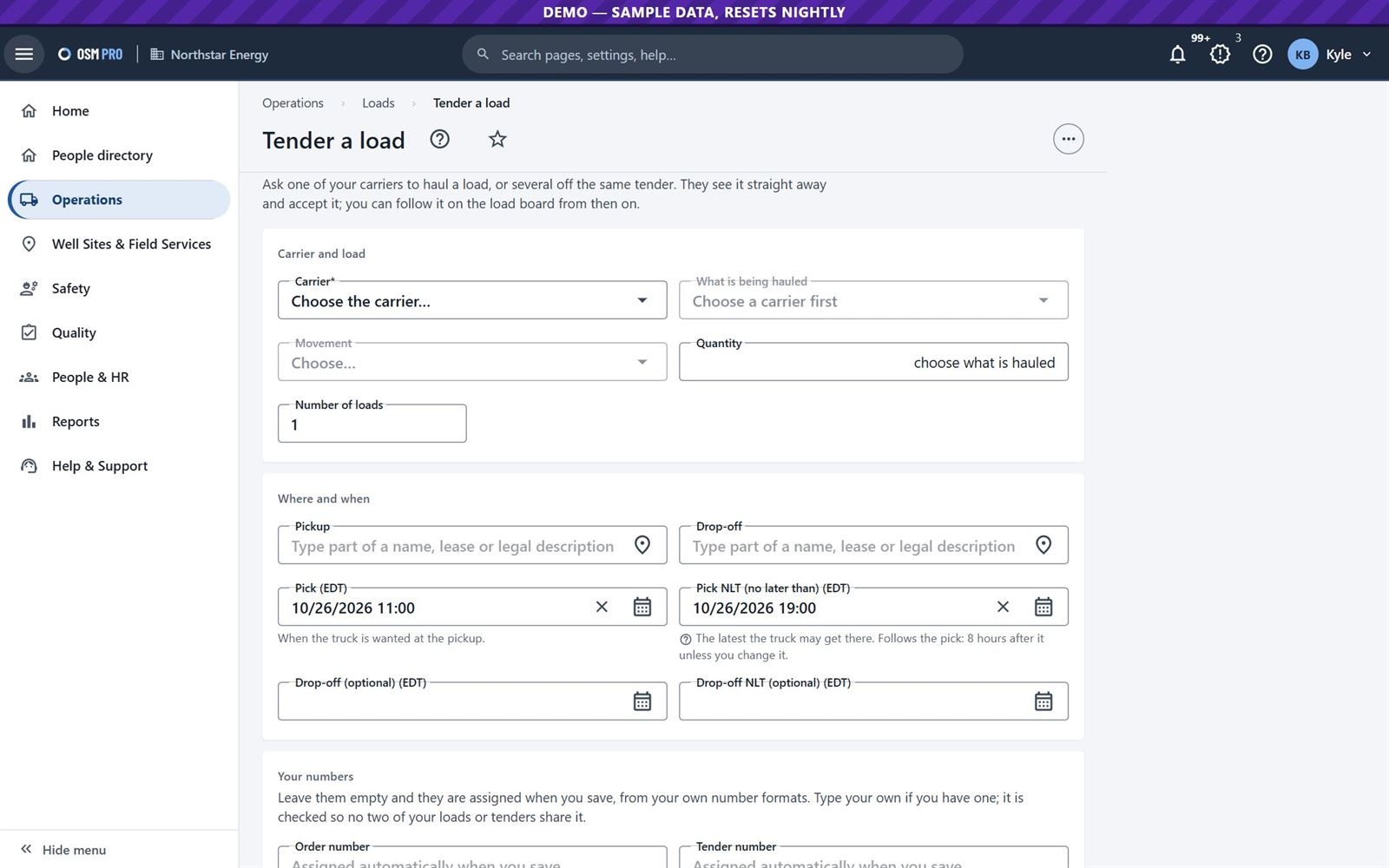
The energy company picks a carrier, the pickup and the drop-off, and the times. The load goes directly onto the carrier's board, with no phone call or email.
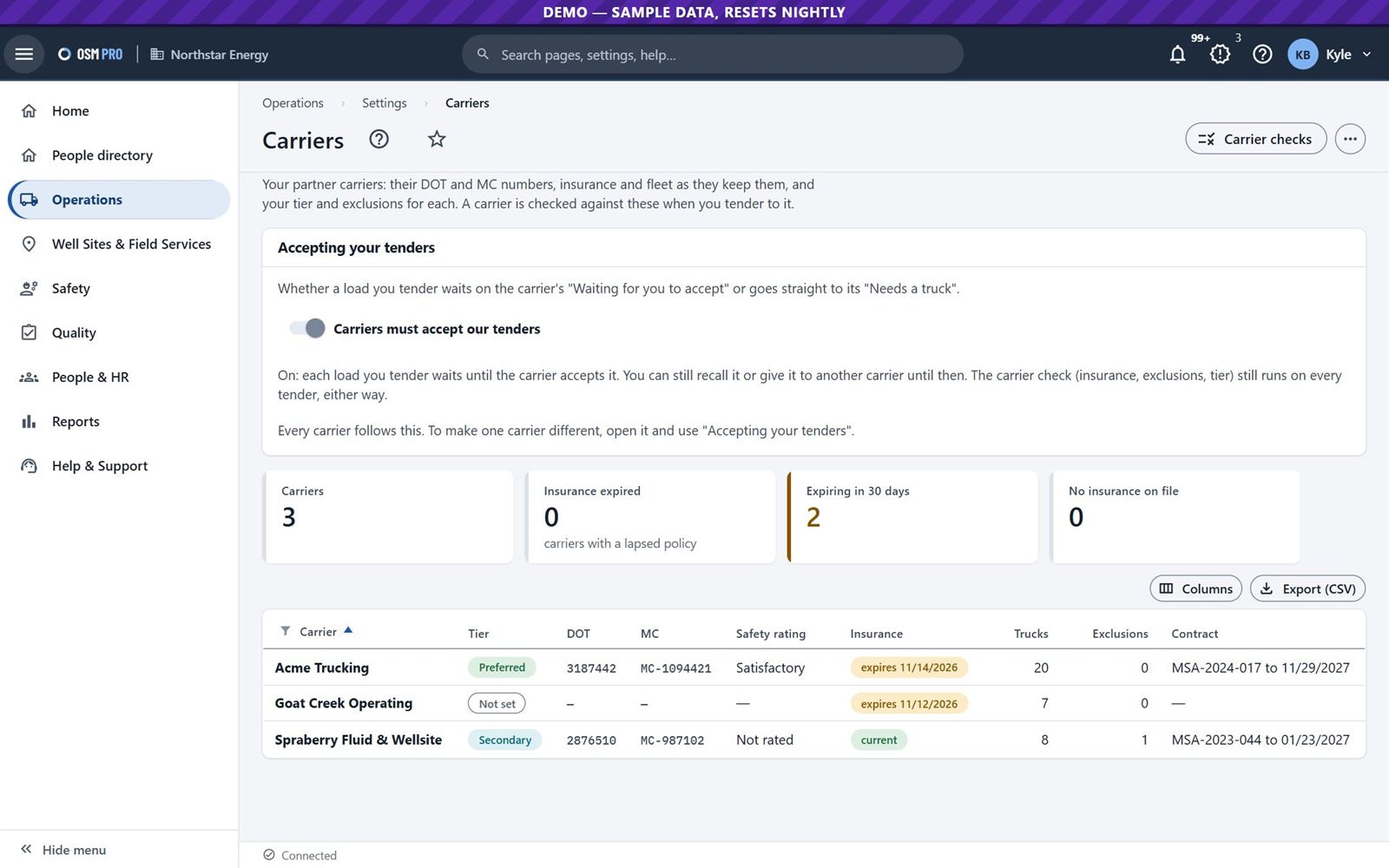
Each carrier is checked first: insurance, exclusions, tier, weight limits and certifications.
The energy company decides whether carriers must accept each order, and can take one back or give it to another carrier before a truck is sent.
Its own billing and closing rules come first on its loads.
From then on the energy company has full visibility of every load it has assigned: accepted, on the road, delivered with its ticket, and invoiced.
Tender a load: carrier, what is hauled, where and when.
3
The carrier sees it, or enters its own
Carrier · dispatcher
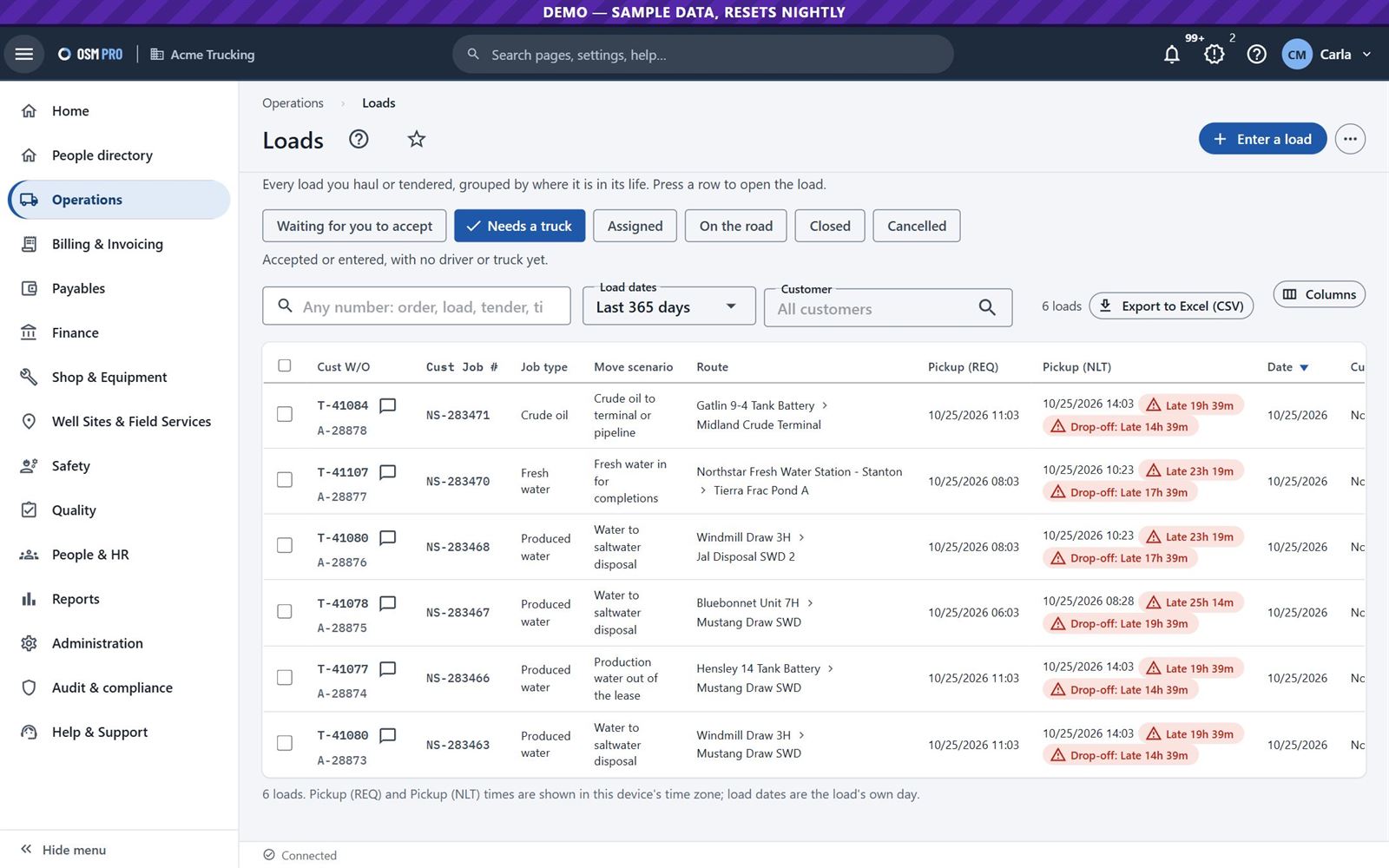
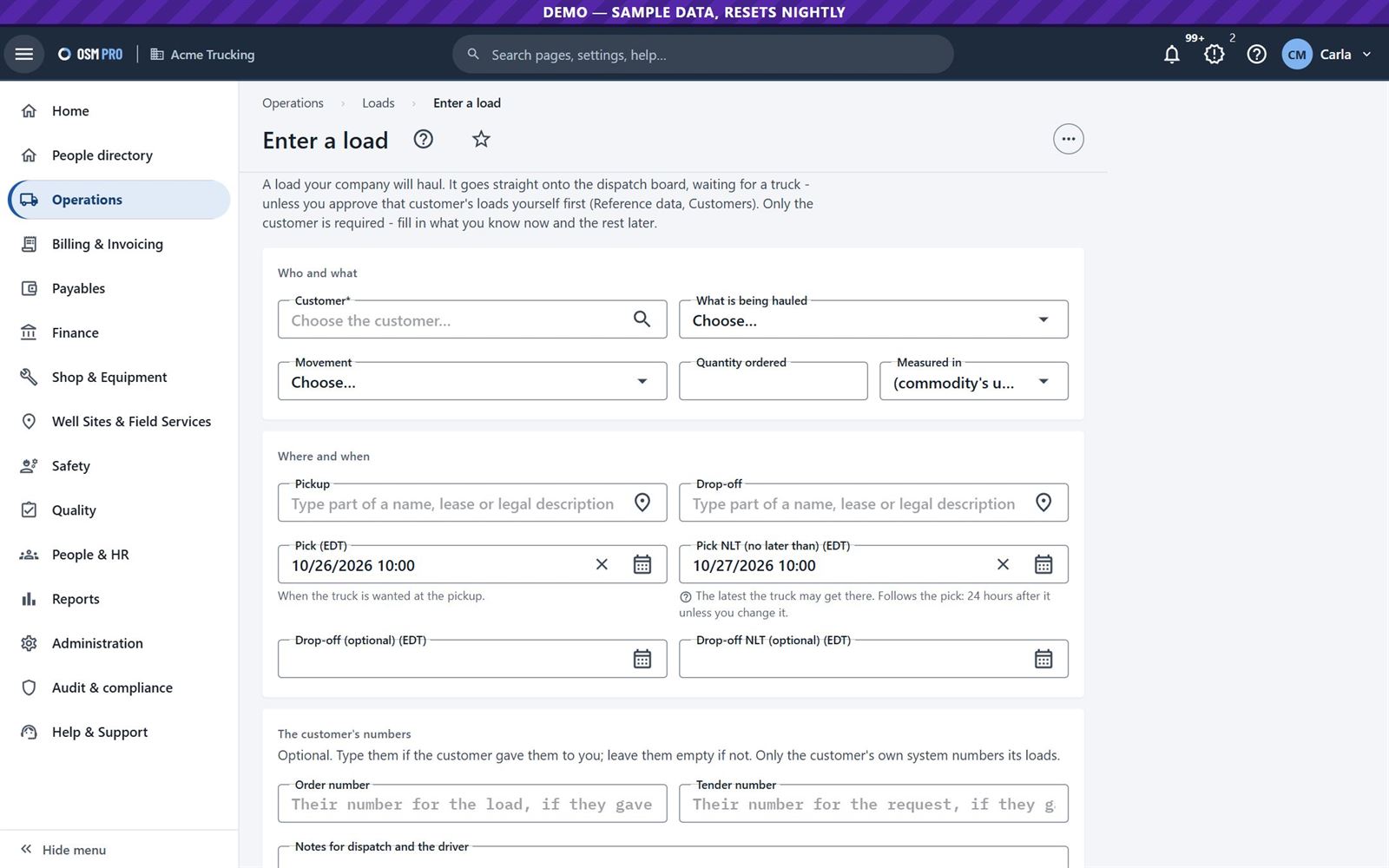
Tendered loads wait for the carrier to accept them. A carrier can also enter loads itself, order several at once, or repeat a previous order.
Loads, grouped by where each is in its life, with late flags.Enter a load: customer, what is hauled, pickup, drop-off and times.
4
Dispatch it from one board
Carrier · dispatcher
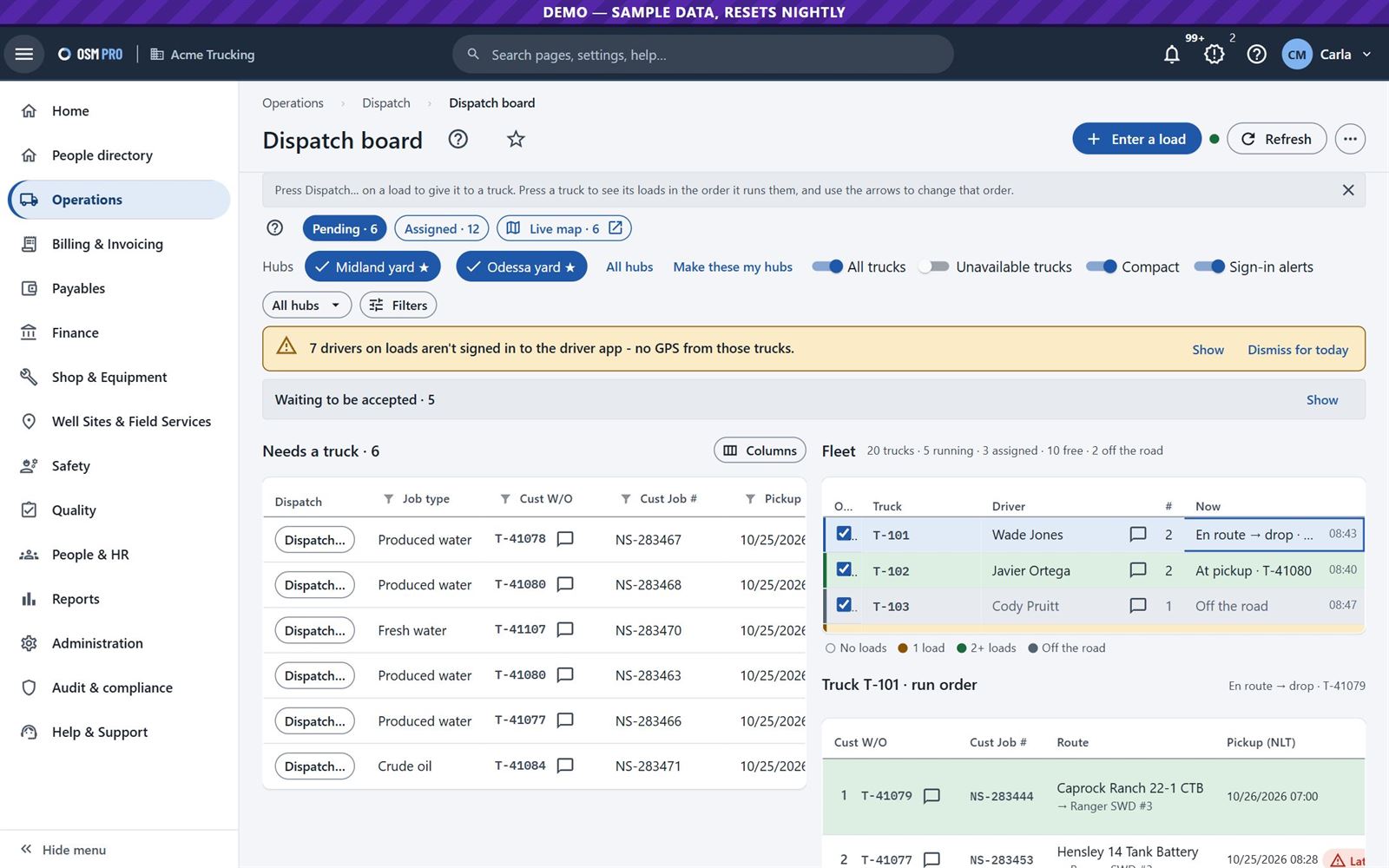
Loads that need a truck are on the left and the fleet is on the right. Press Dispatch on a load to give it to a truck and its crew.
A driver without a valid qualification, or a truck that is out of service, cannot be dispatched.
Press a truck to see its loads in the order it runs them, and use the arrows to change that order.
The board updates live and warns when a driver on a load has not signed in to the app.
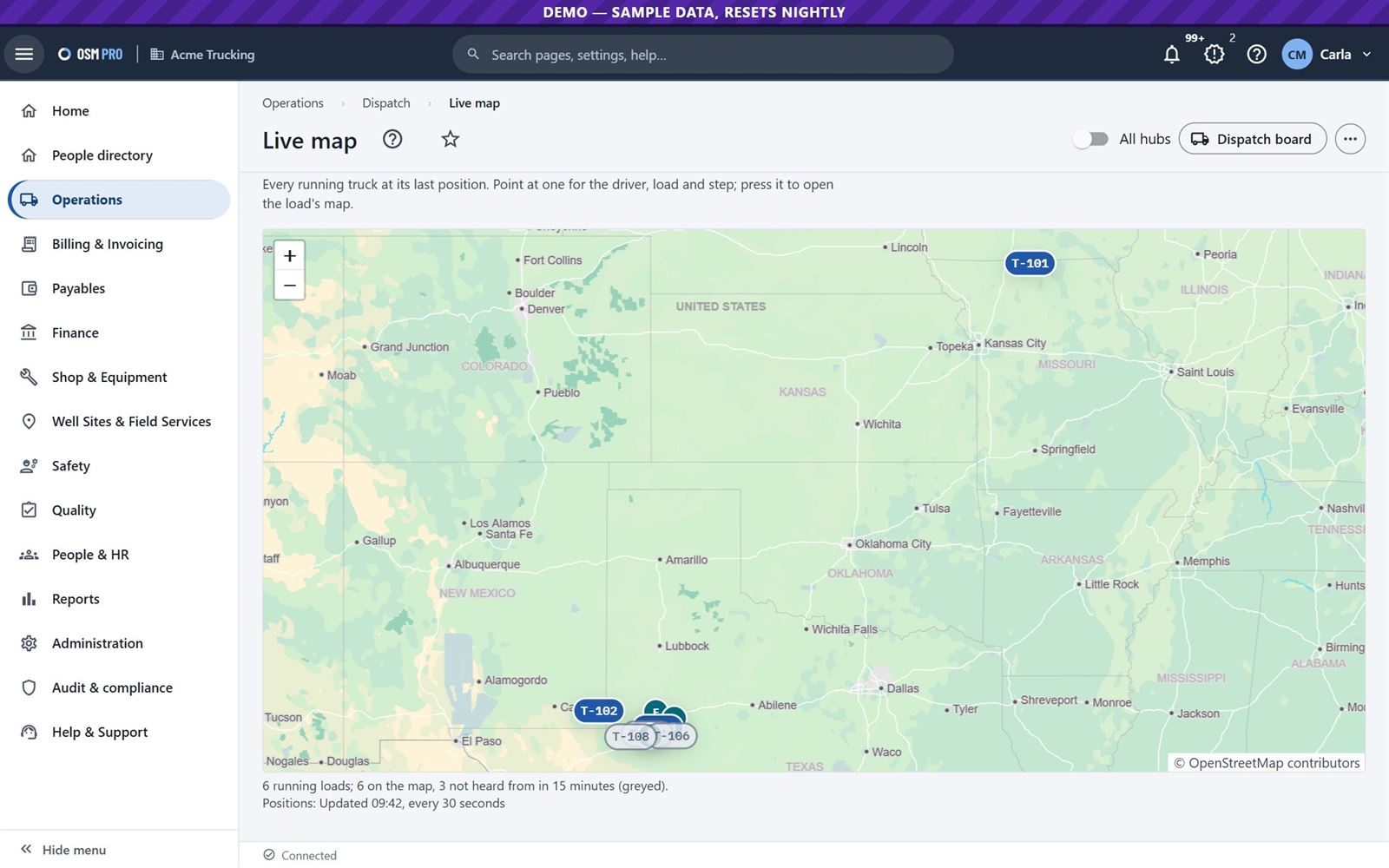
The dispatch board: loads needing a truck, the fleet, and one truck's run order.Live map: every running truck at its last GPS position.
5
The driver runs it on their phone
Carrier · driver
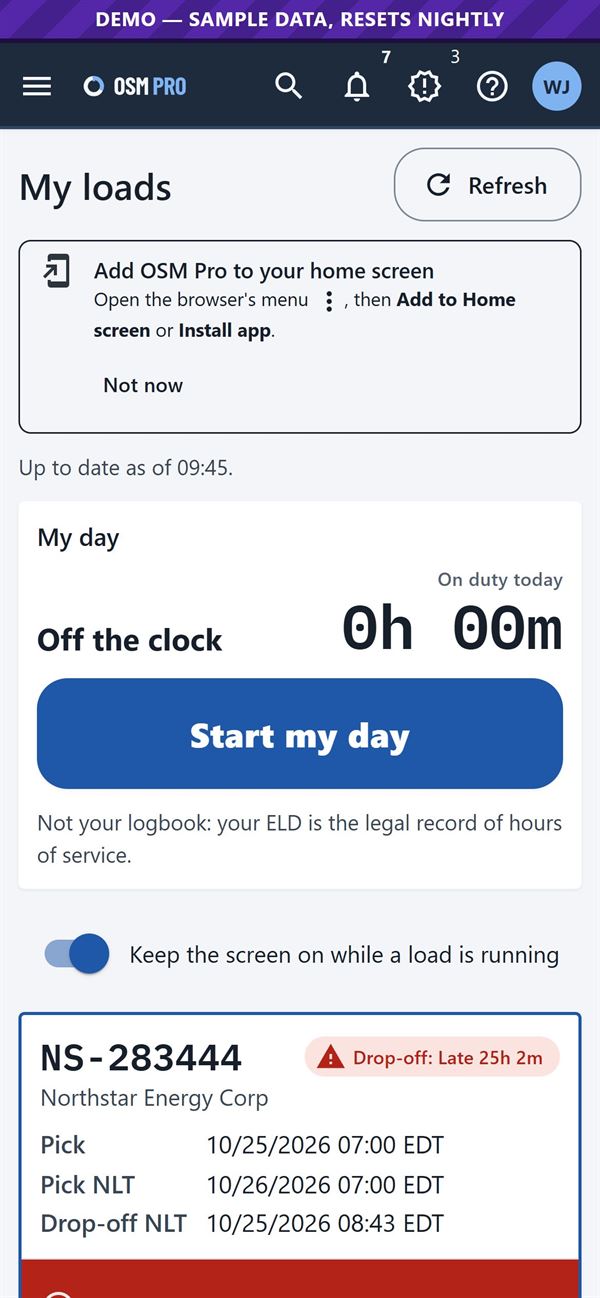
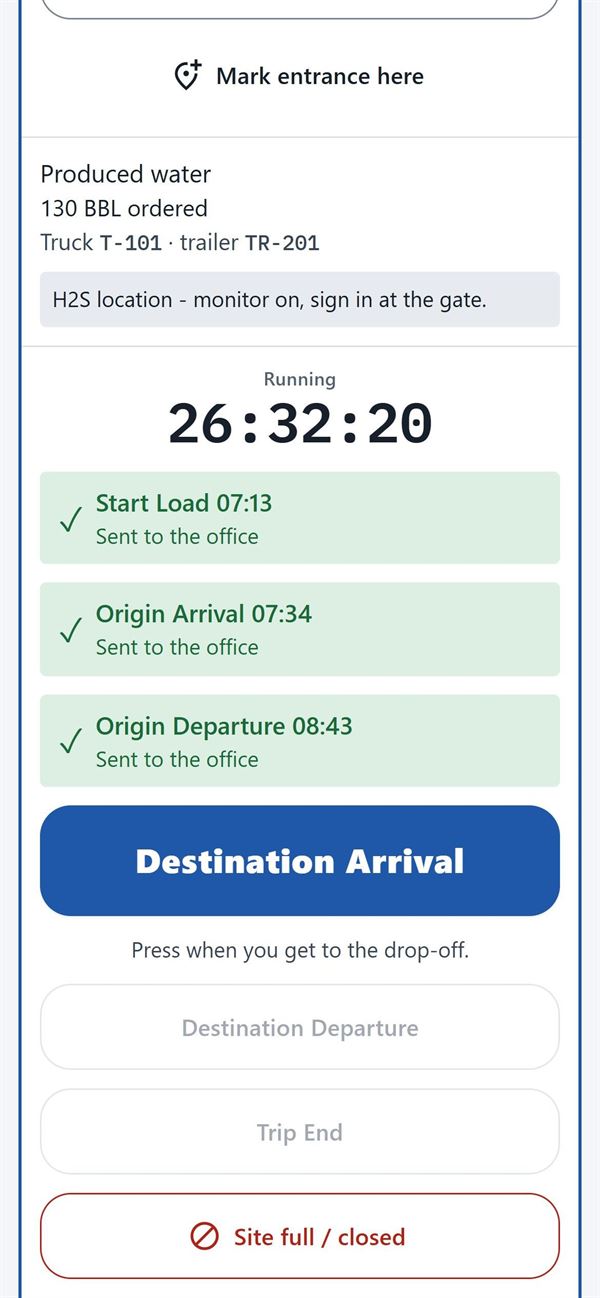
The driver sees their loads in run order, the way in, and one big button for each step of the trip. The app keeps what they save until there is signal.
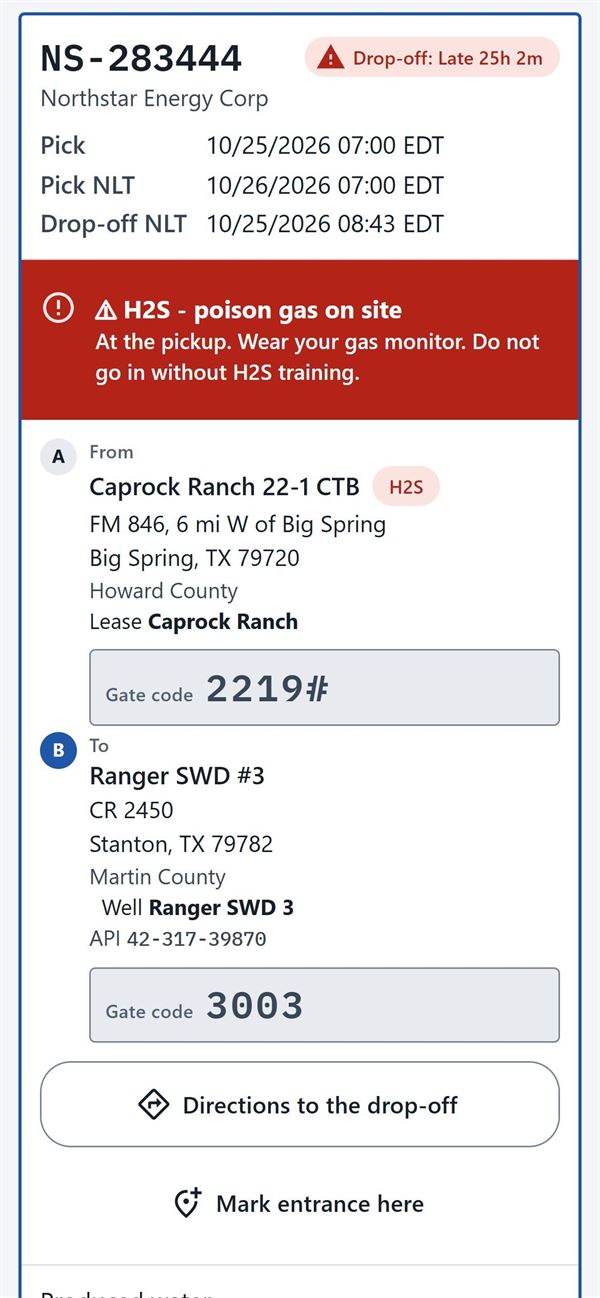
Site warnings, such as H2S at the pickup, show at the top of the load.
The site's gate code shows only to the load's own driver, and only while the load is running.
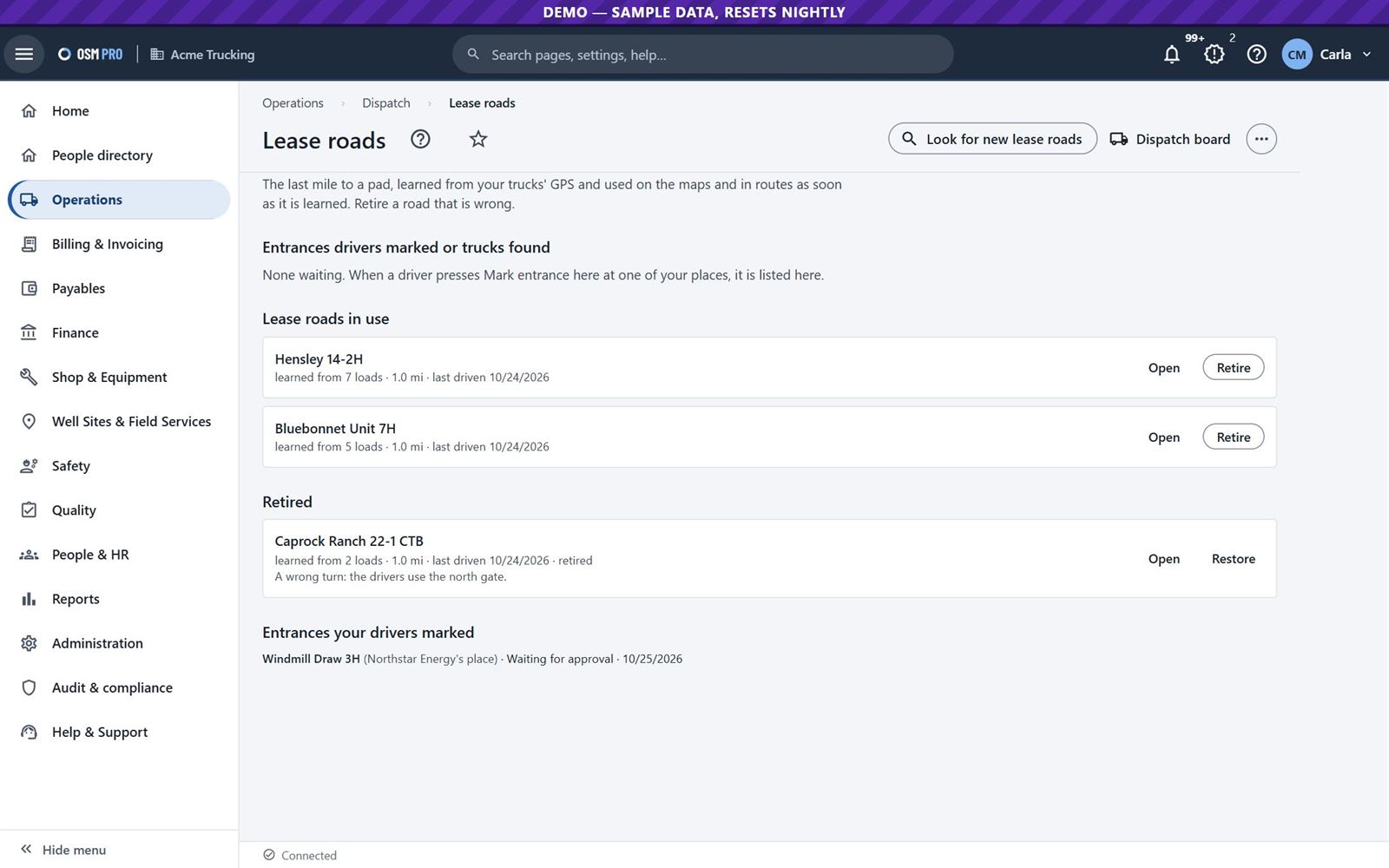
Turn-by-turn directions go to the site entrance. A driver can mark an entrance for the site owner to approve.
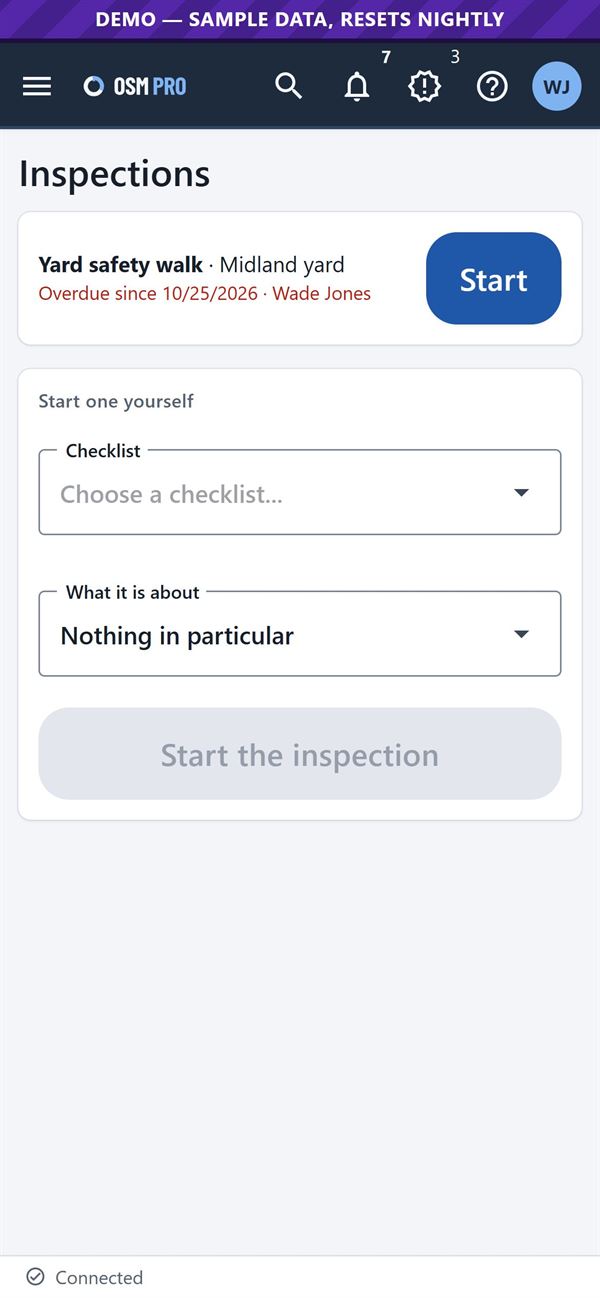
The driver starts the day on the time clock, does inspections, and adds the ticket and its photo at the drop-off.
My loads and the time clock.The load: H2S warning, places and gate code.One button per step, each sent to the office.Inspections on the phone.
6
Both sides track the load from start to finish
Carrier and energy company
The carrier and the energy company look at the same load from tender to invoice: who accepted it, which truck has it, where it is now, when each step happened, the ticket and the invoice.
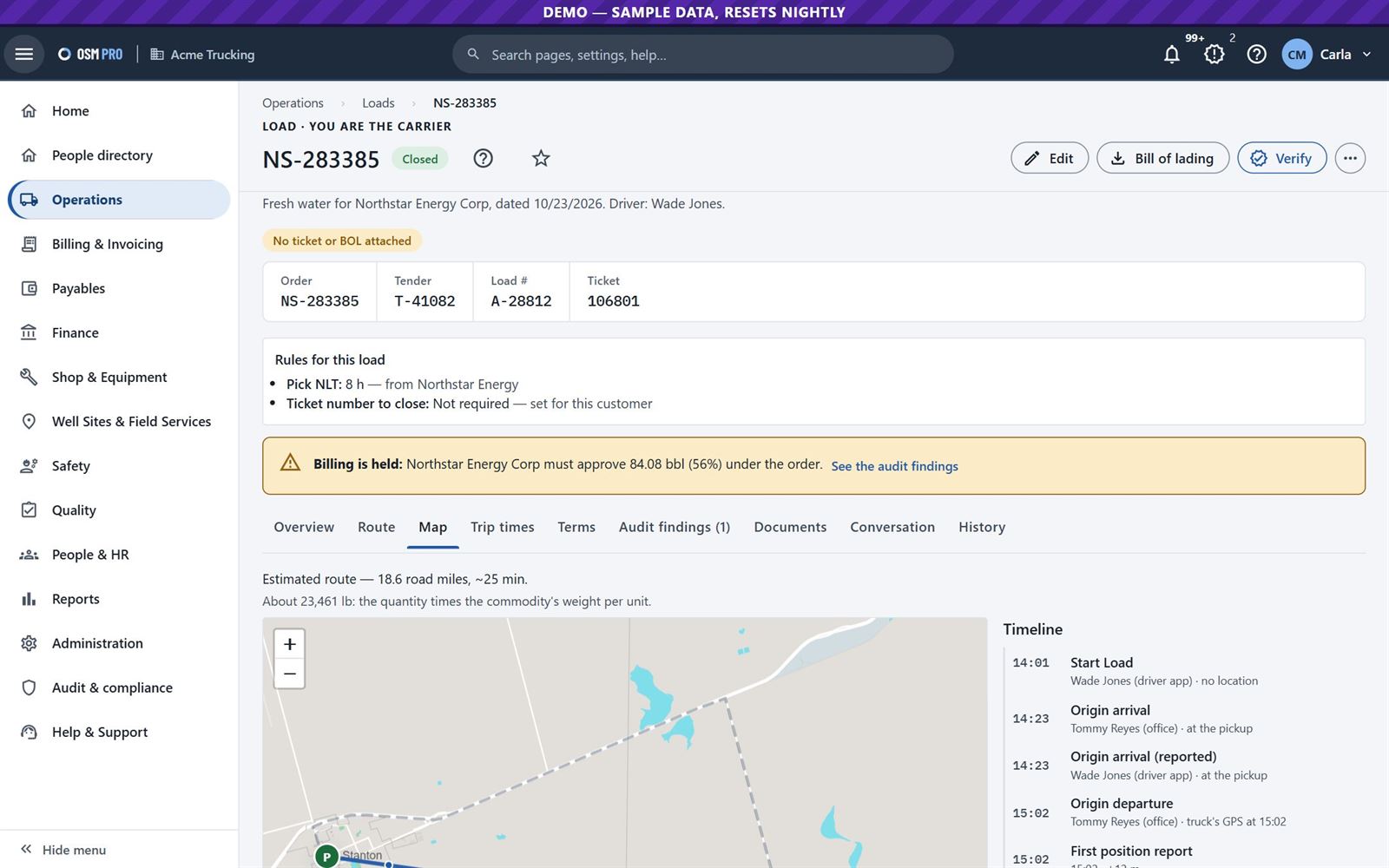
Every load has its own map: the planned route, the GPS trail and a timeline of each step.
GPS comes from the trackers your trucks already have. OSM Pro works with ten providers; you connect once.
The last stretch of lease road to each pad is learned from your trucks’ GPS. Only the roads you approve are used.
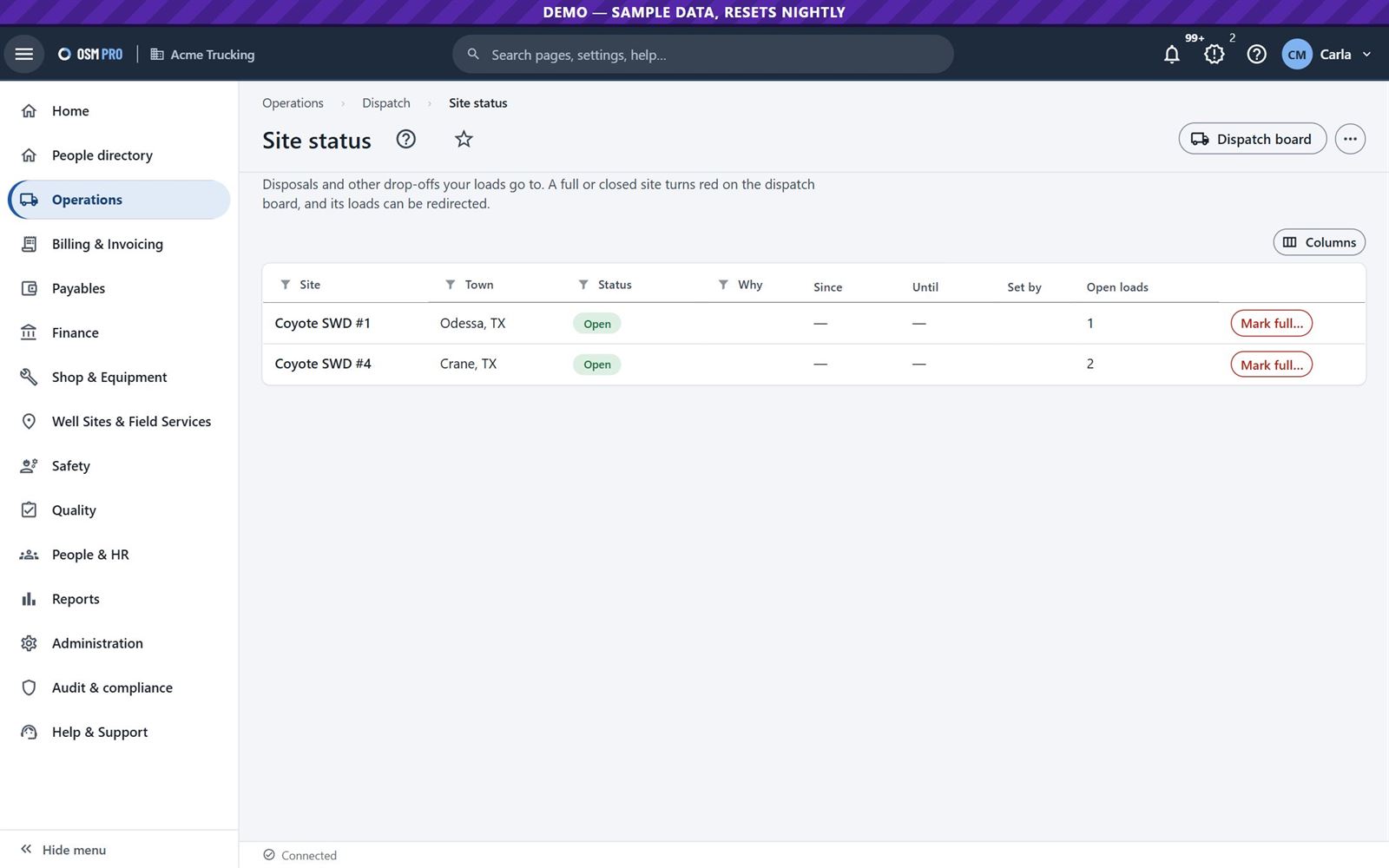
Mark a disposal site full or closed, and its loads are redirected.
A load's map and timeline.Lease roads and the entrances drivers marked.Site status: disposals open, full or closed.
7
The ticket comes back with the load
Carrier and energy company
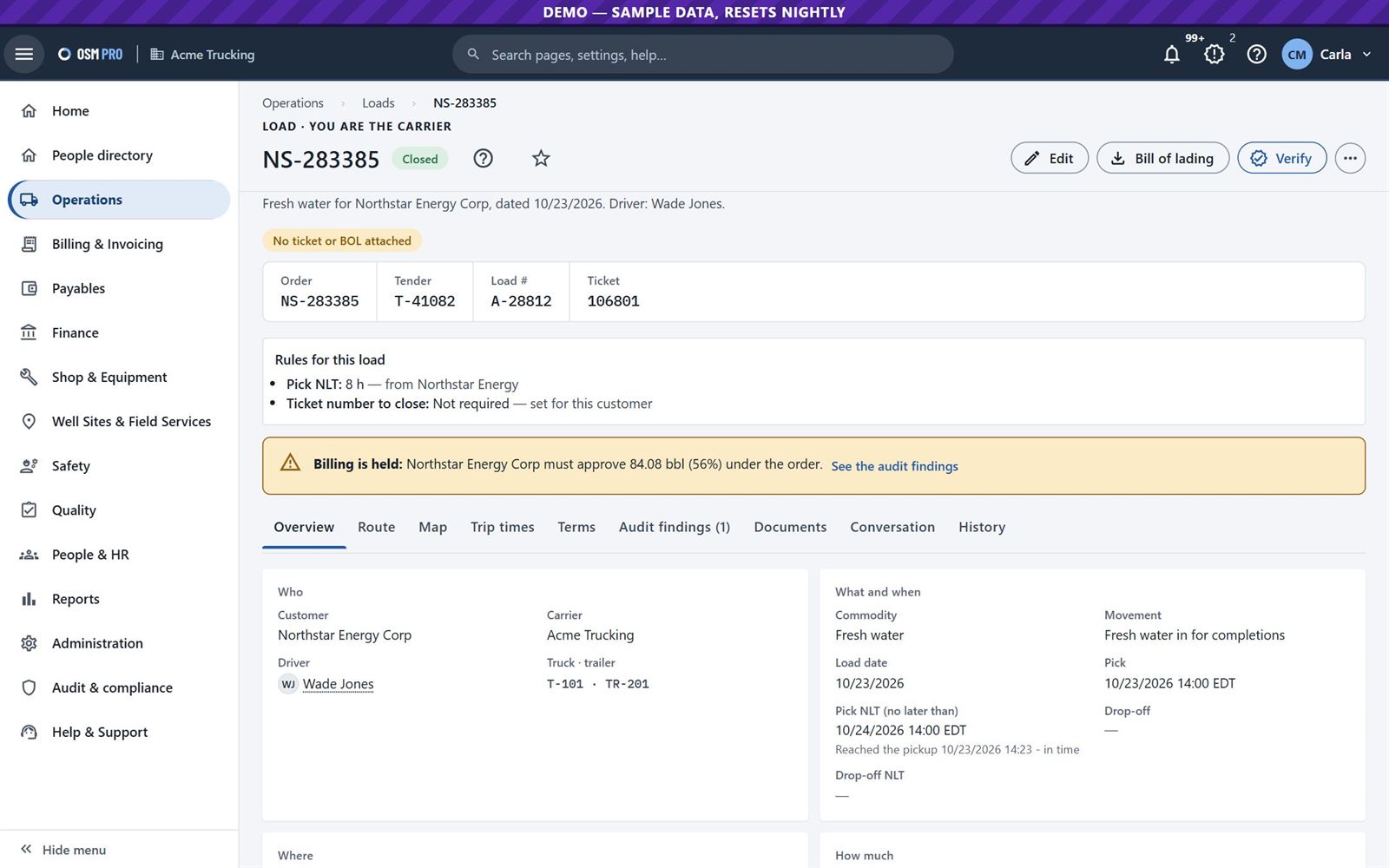
Tickets, BOLs and photos stay with their load. Every closed load is checked against the rules, and the company that owns the load decides whether a problem holds billing.
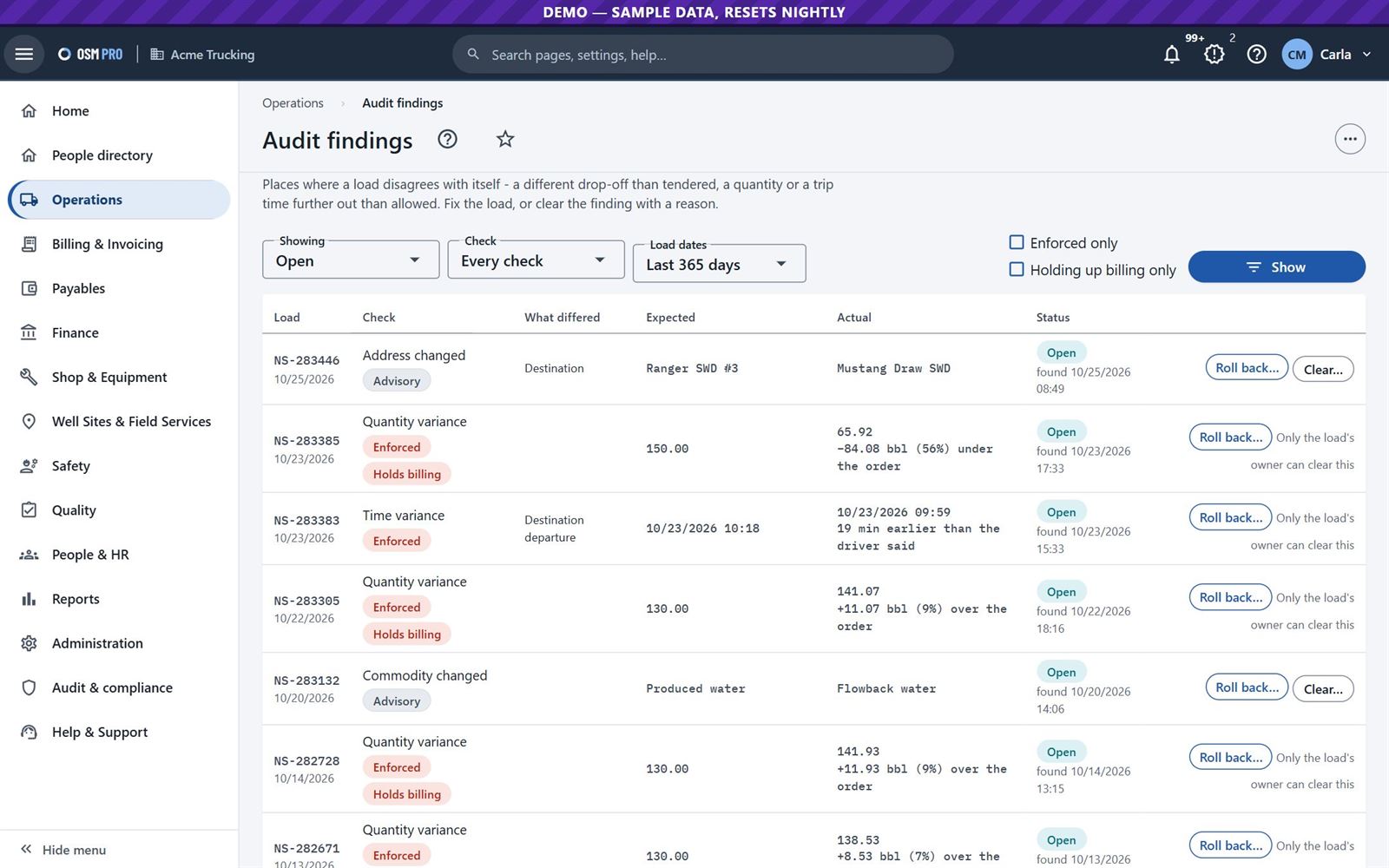
Quantity, time, address and commodity differences are found for you.
Both sides see the same rules and the same findings.
Put a checked value back to what was ordered or reported, or clear the finding with a reason.
On this load the delivered quantity was 56% under the order, so billing waits until the energy company approves it.
A closed load, its ticket number and the finding that holds its billing.Audit findings across all loads.
8
Invoice from the load
Carrier · billing
The delivered load and its ticket are what you bill from. Nobody types it up again.
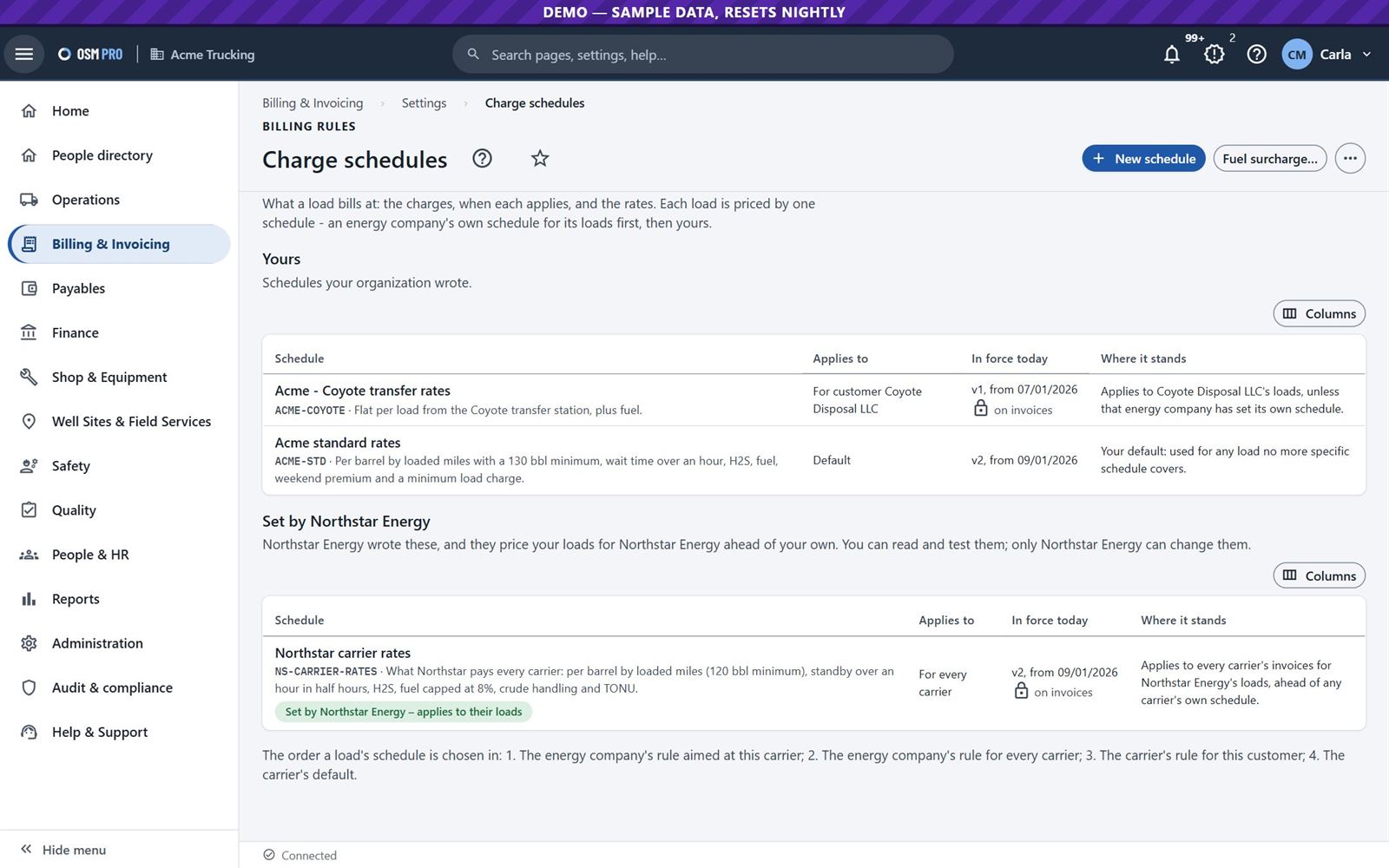
Charge schedules price each load: per barrel, per loaded mile, minimums, wait time, fuel surcharge. An energy company's own schedule comes first on its loads.
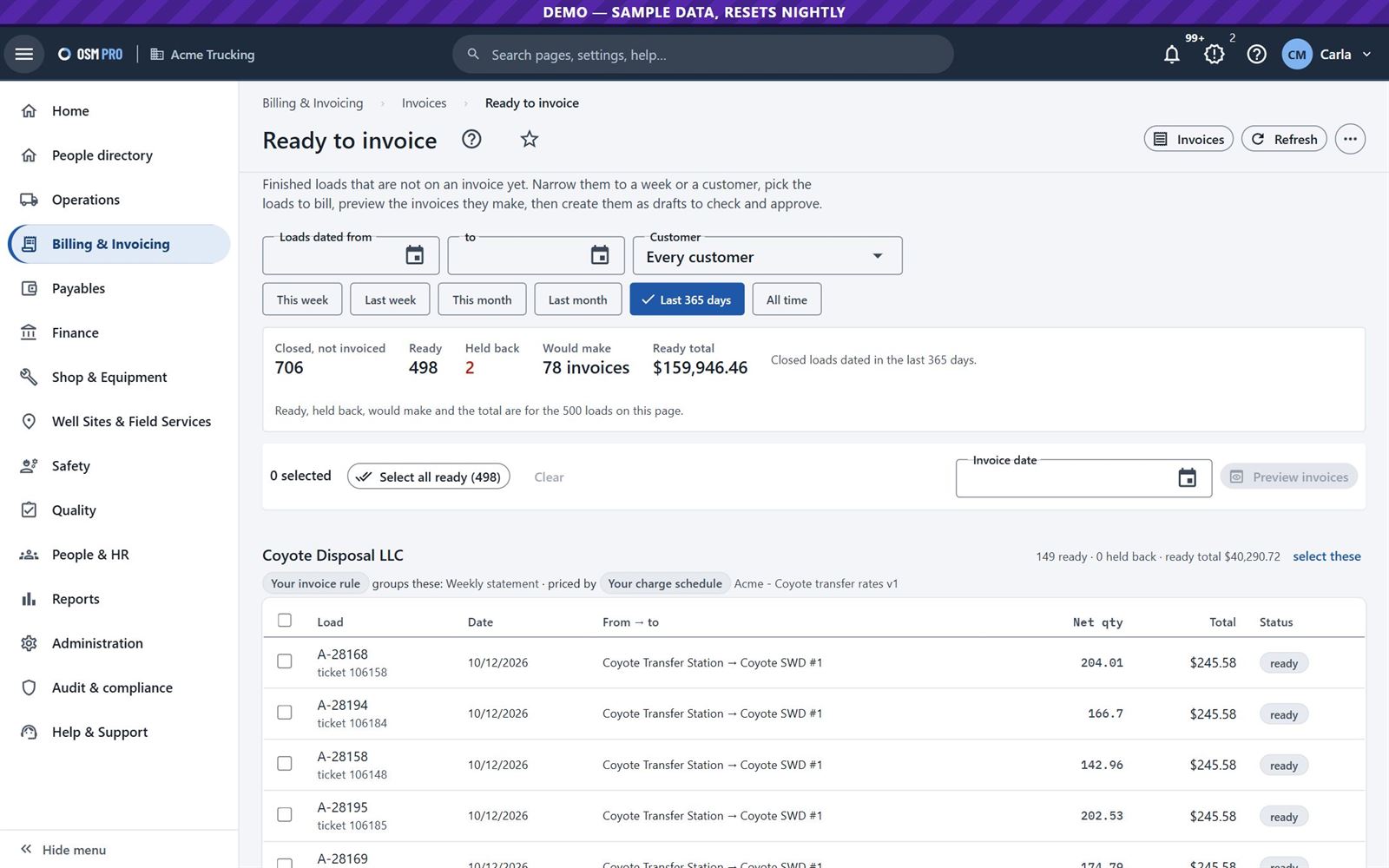
Ready to invoice shows every closed load not yet billed, and explains the ones held back.
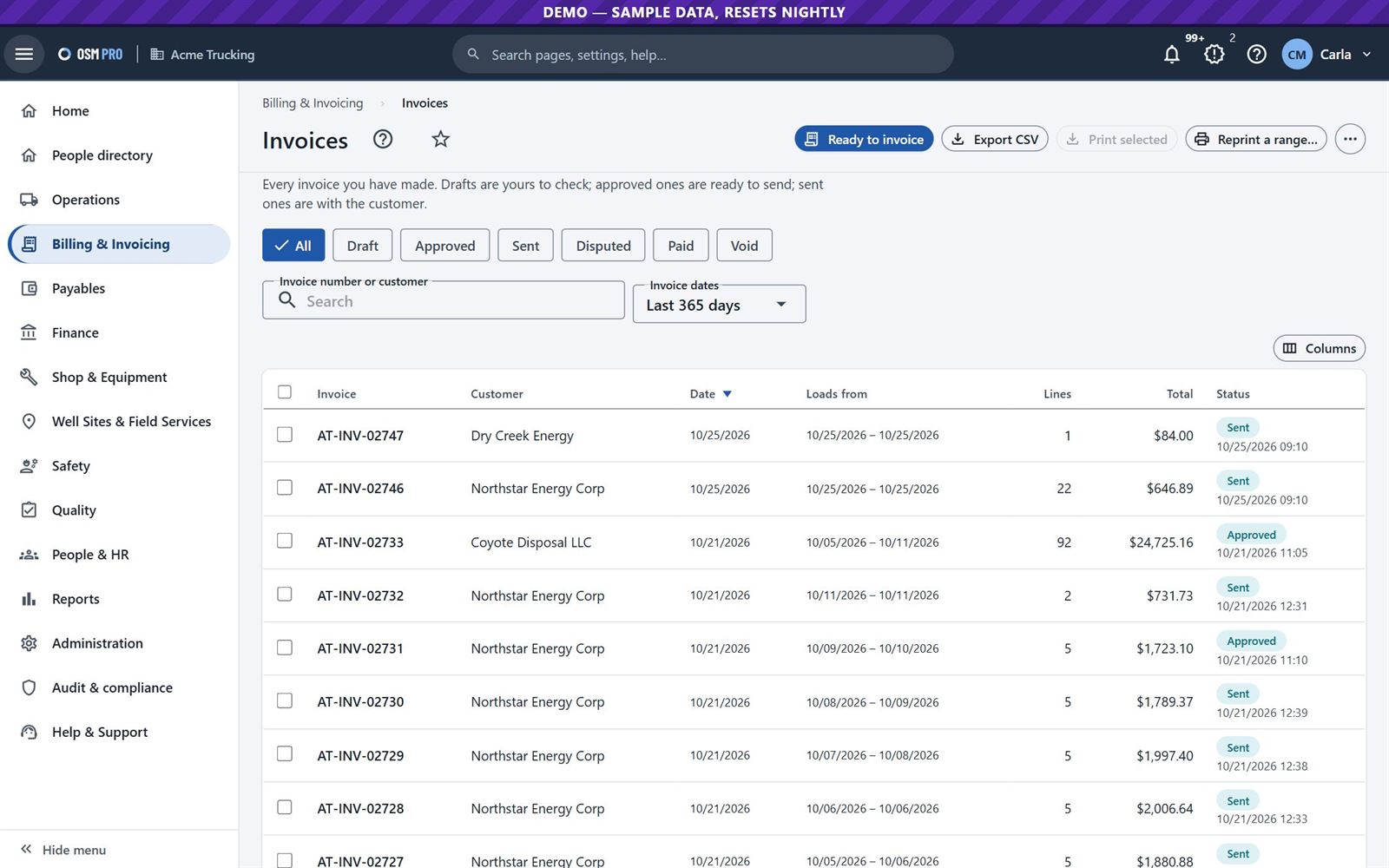
Approve, send and void invoices, answer a dispute line by line, and download one PDF packet with the invoice, BOLs and scanned tickets.
Charge schedules, yours and your customer's.Ready to invoice, with the loads held back explained.Invoices, from draft to paid.
9
The energy company checks and pays
Energy company · accounts payable
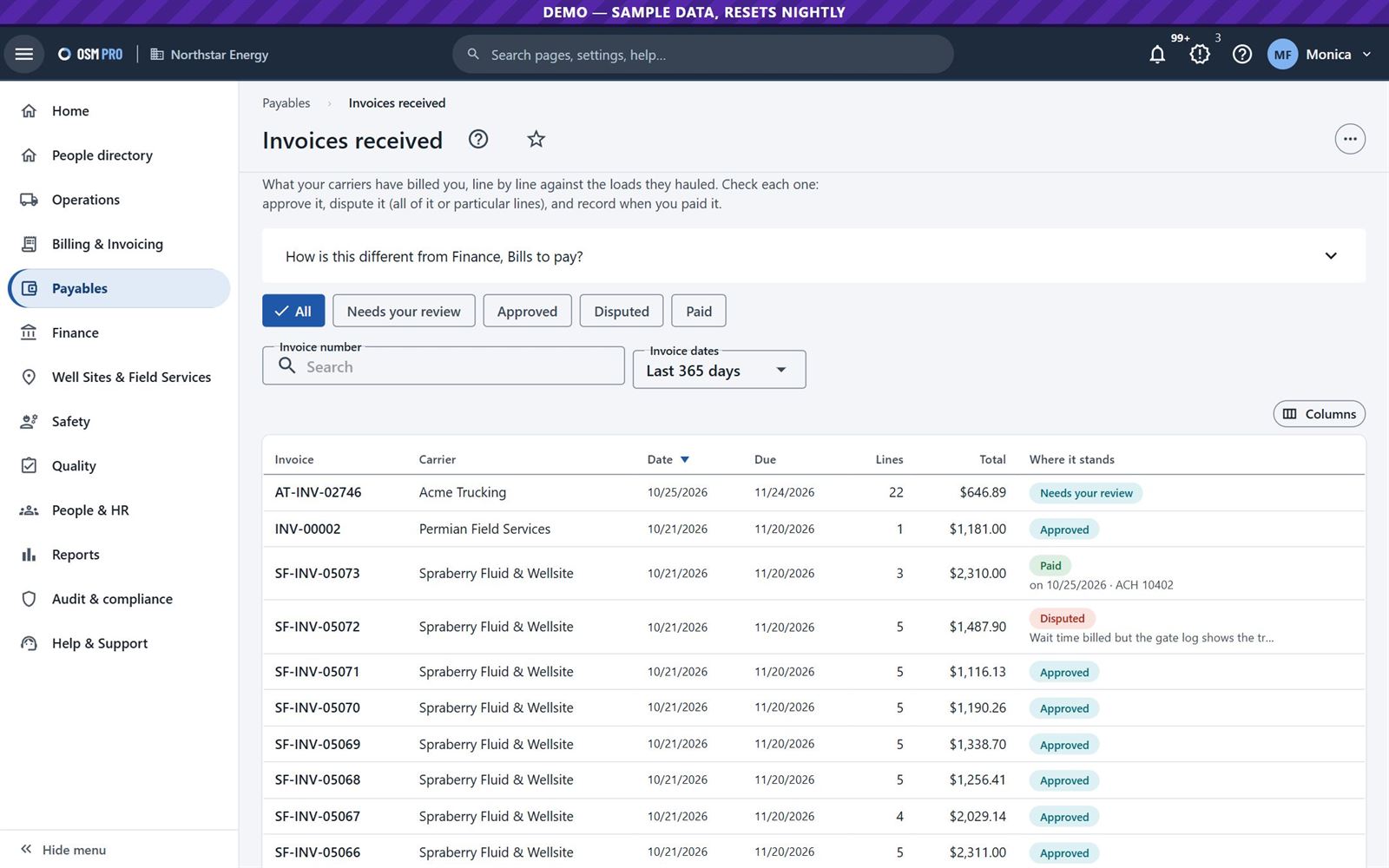
Every load it assigned stays in view, with its ticket. Each invoice received shows every line, your coding and the loads behind it. Approve it, dispute it whole or line by line, and record the payment.
Invoices received from your carriers.Your carriers: tier, insurance and contract dates.
Part two · the rest of the business
10
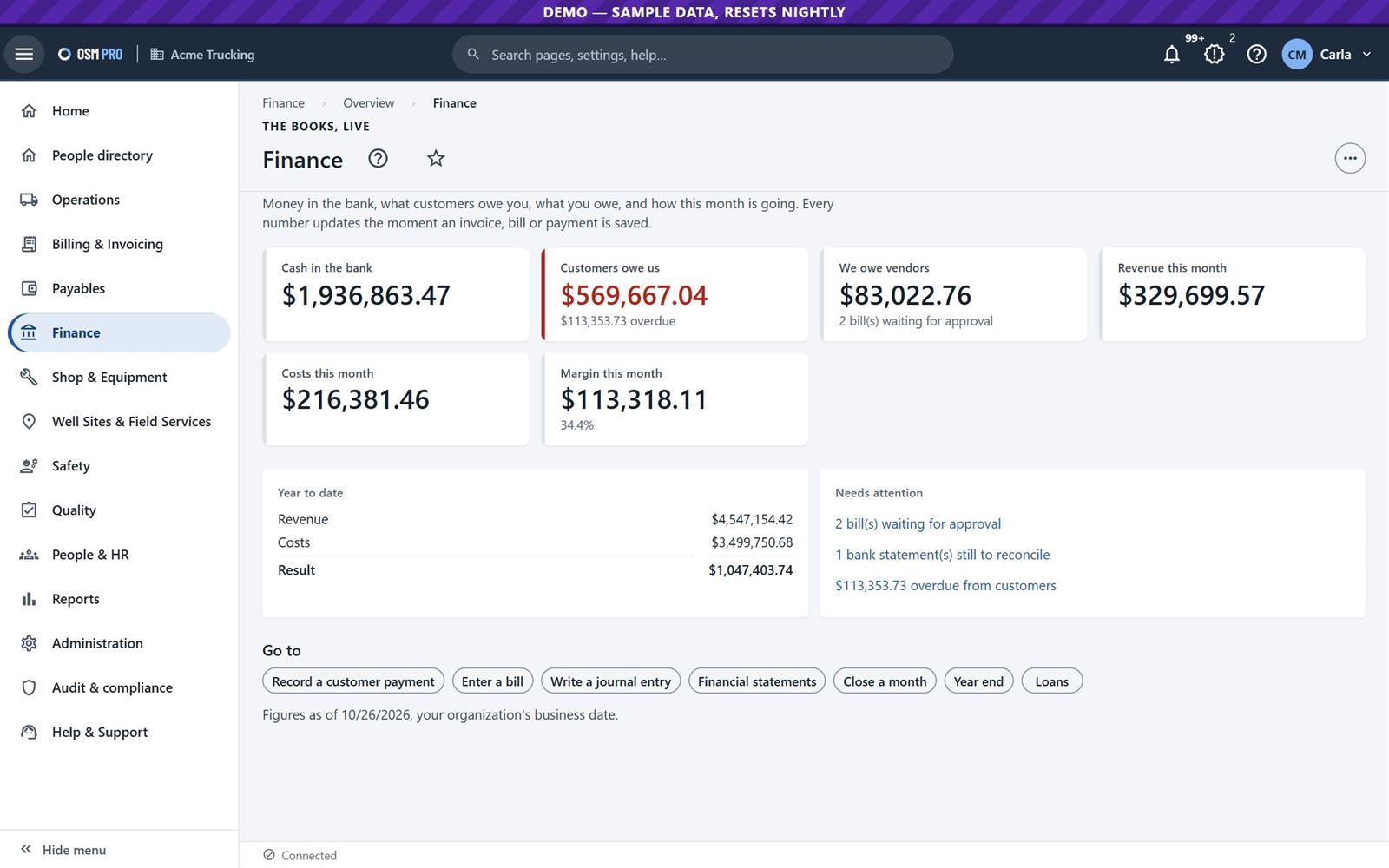
The books update as the work happens
Finance
OSM Pro Finance keeps the books from the loads, invoices, bills and payments, with costs tracked by lease, well, AFE and truck. Or connect QuickBooks Online or Desktop instead.
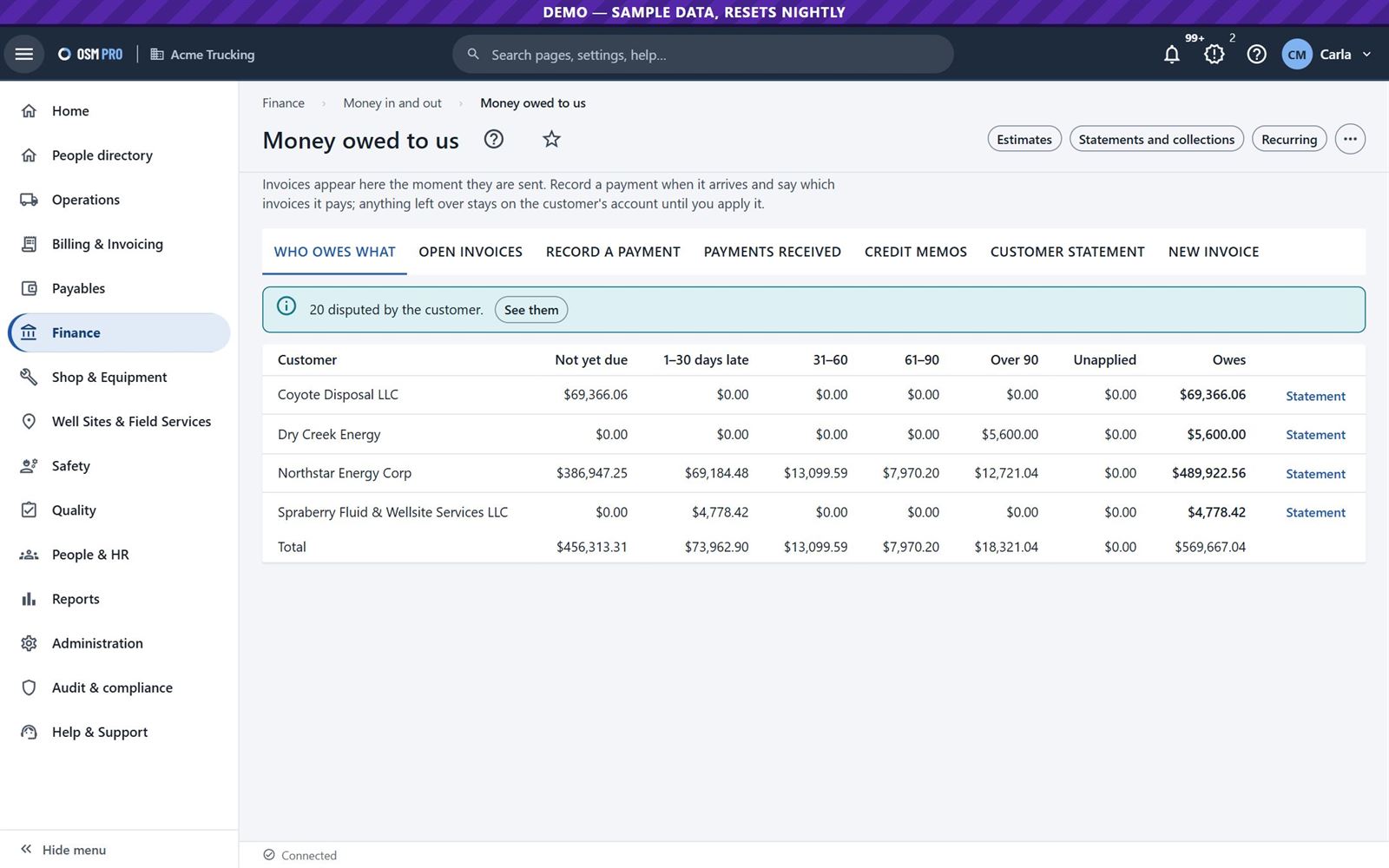
Money owed to you, bills to pay, payment runs, bank reconciliation, equipment and budgets.
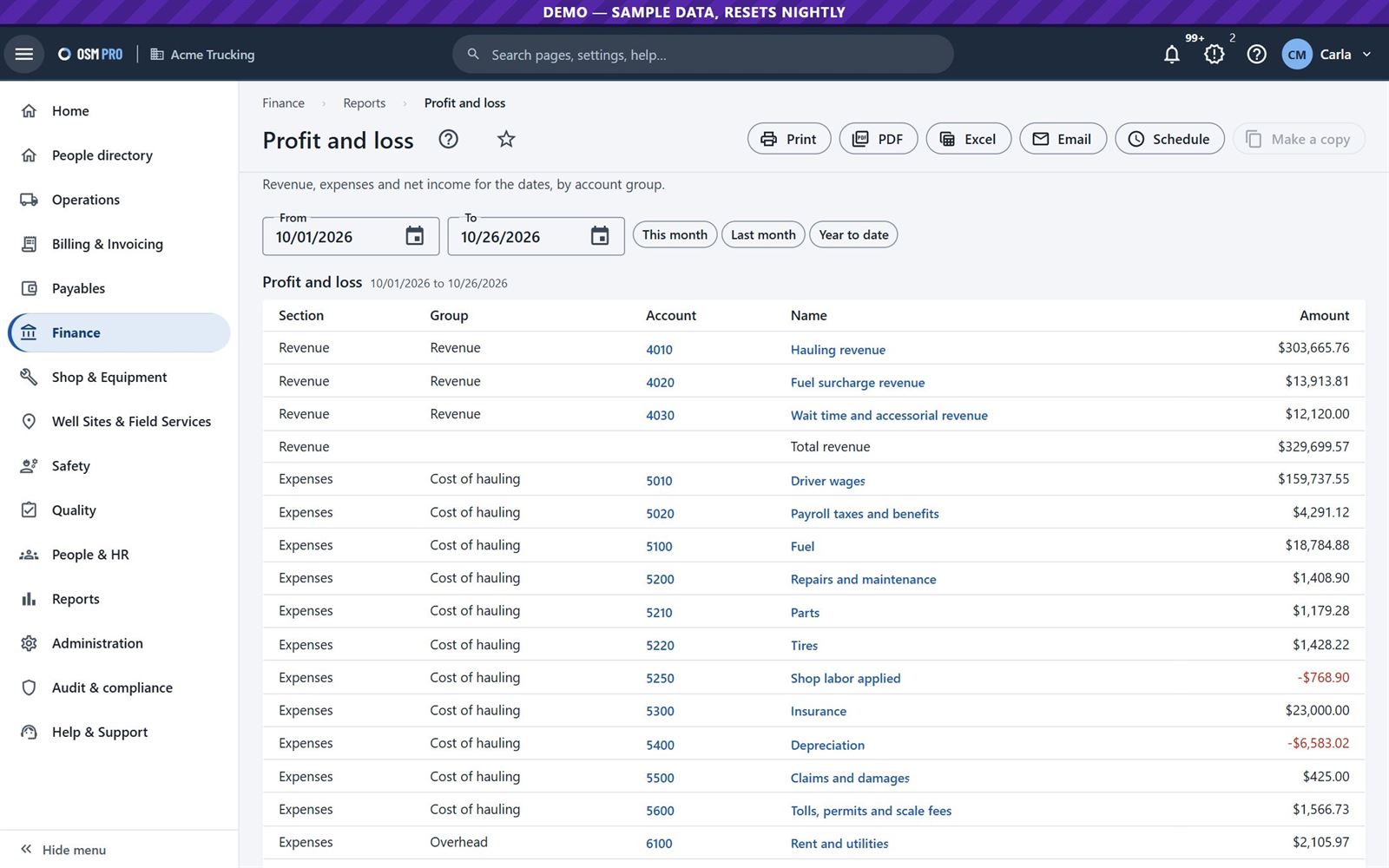
Financial statements, job costing and profit by load and by truck.
Approval limits, a second person to release payments, and a month-end close checklist.
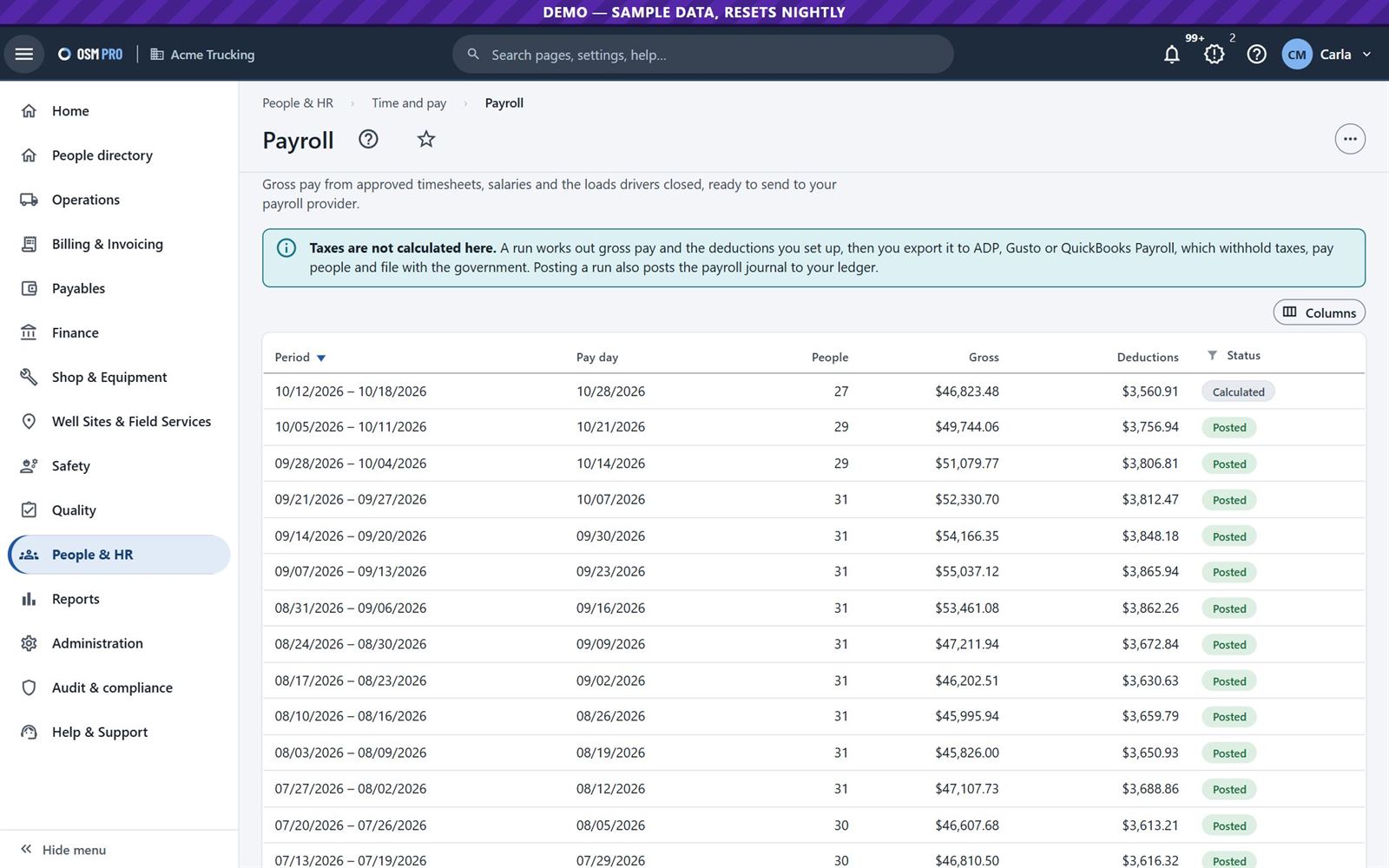
Payroll runs from approved timesheets and closed loads, and 1099s for the IRS.
Finance at a glance.Profit and loss, ready to print, export or email.Money owed to you, by age.Payroll runs.
11
Keep the trucks on the road
Shop
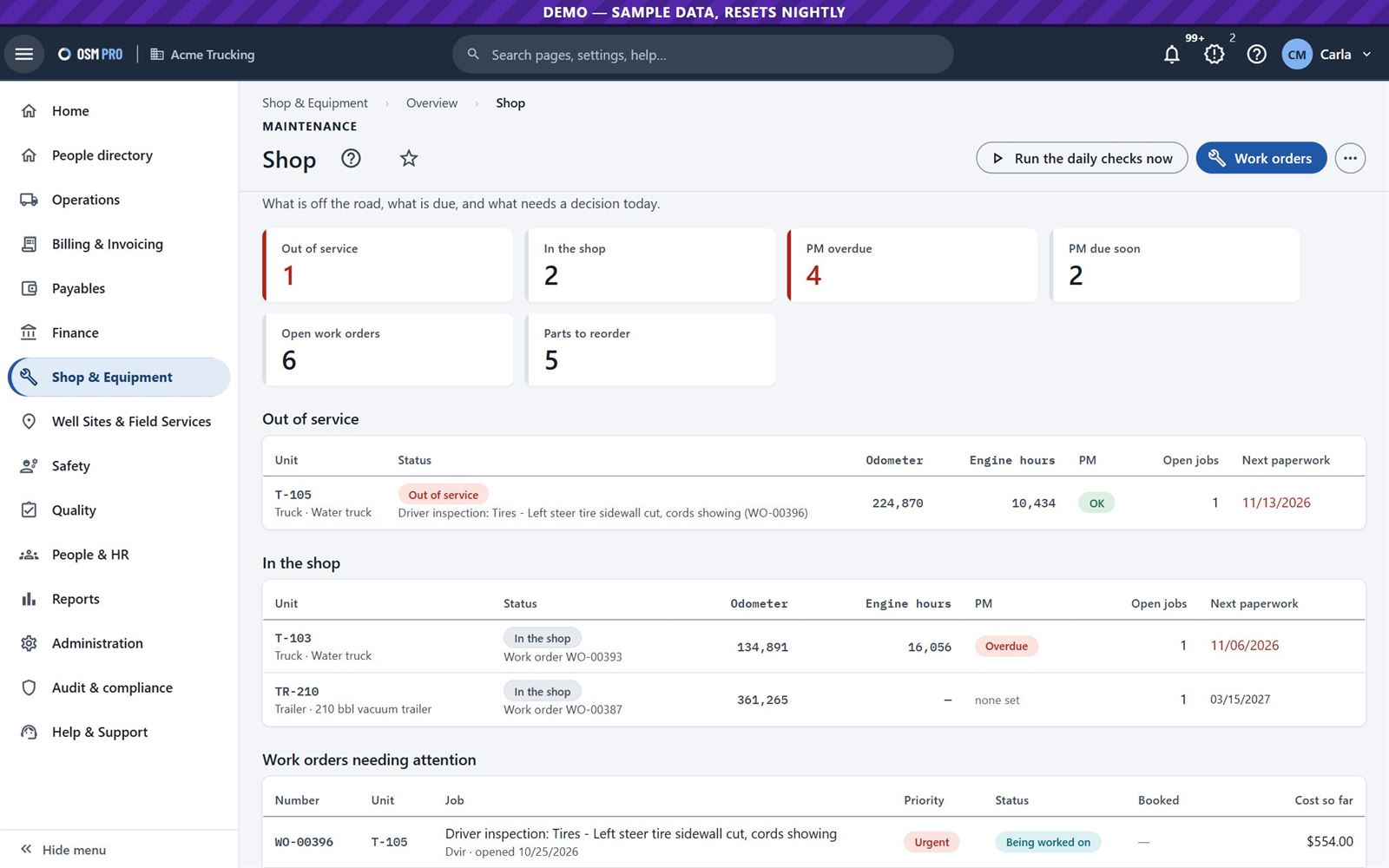
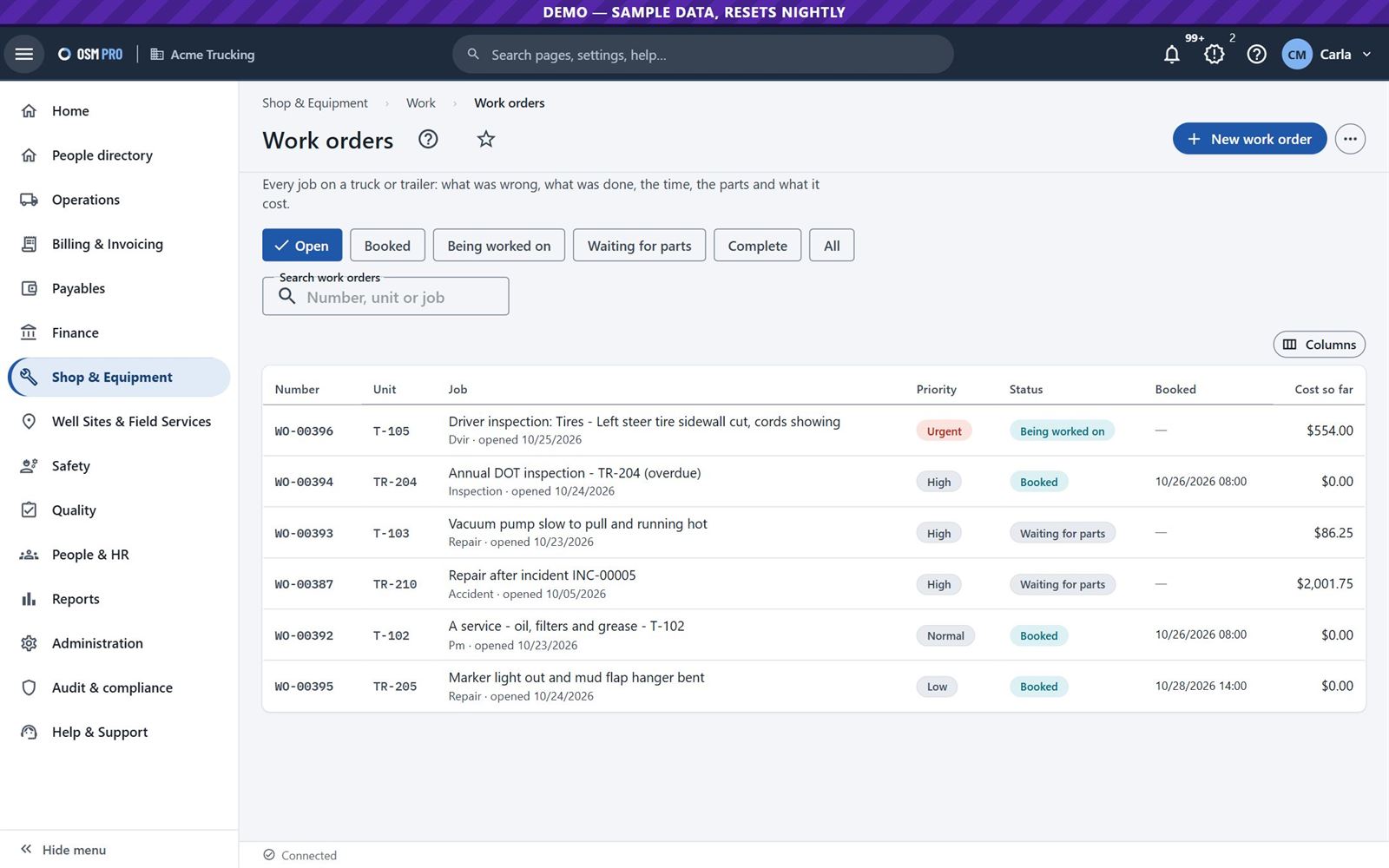
Track units with meters and preventive maintenance by miles, hours or days. An out-of-service defect from a driver's inspection blocks that truck from dispatch.
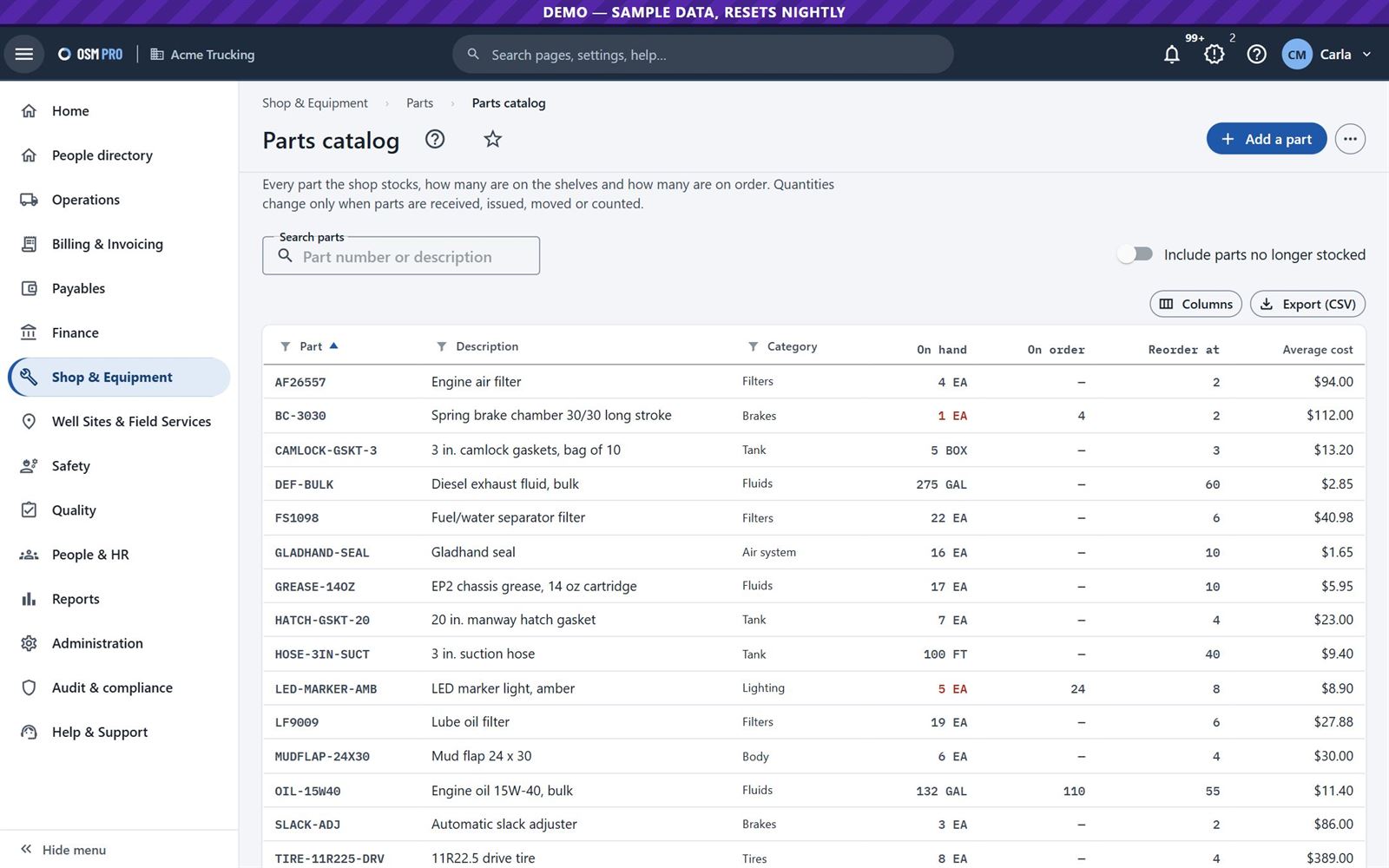
The shop: what is off the road and what is due.Work orders with labour, parts and outside repairs.Parts: stock, purchase orders and reorder.
12
Safety you can show your customers
Safety
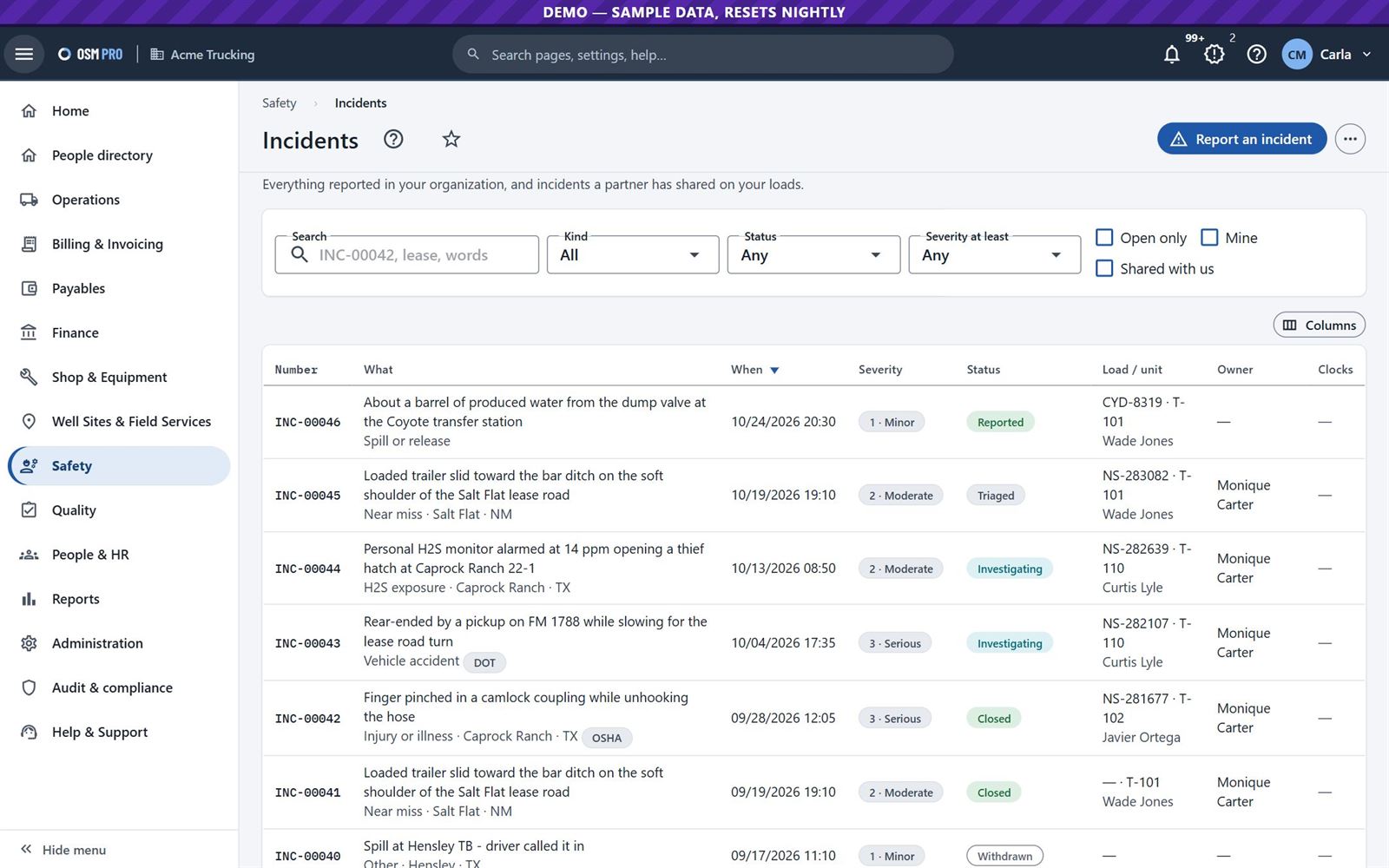
Report incidents from the web or a phone, investigate them and assign corrective actions. Customers are told automatically about incidents on their loads.
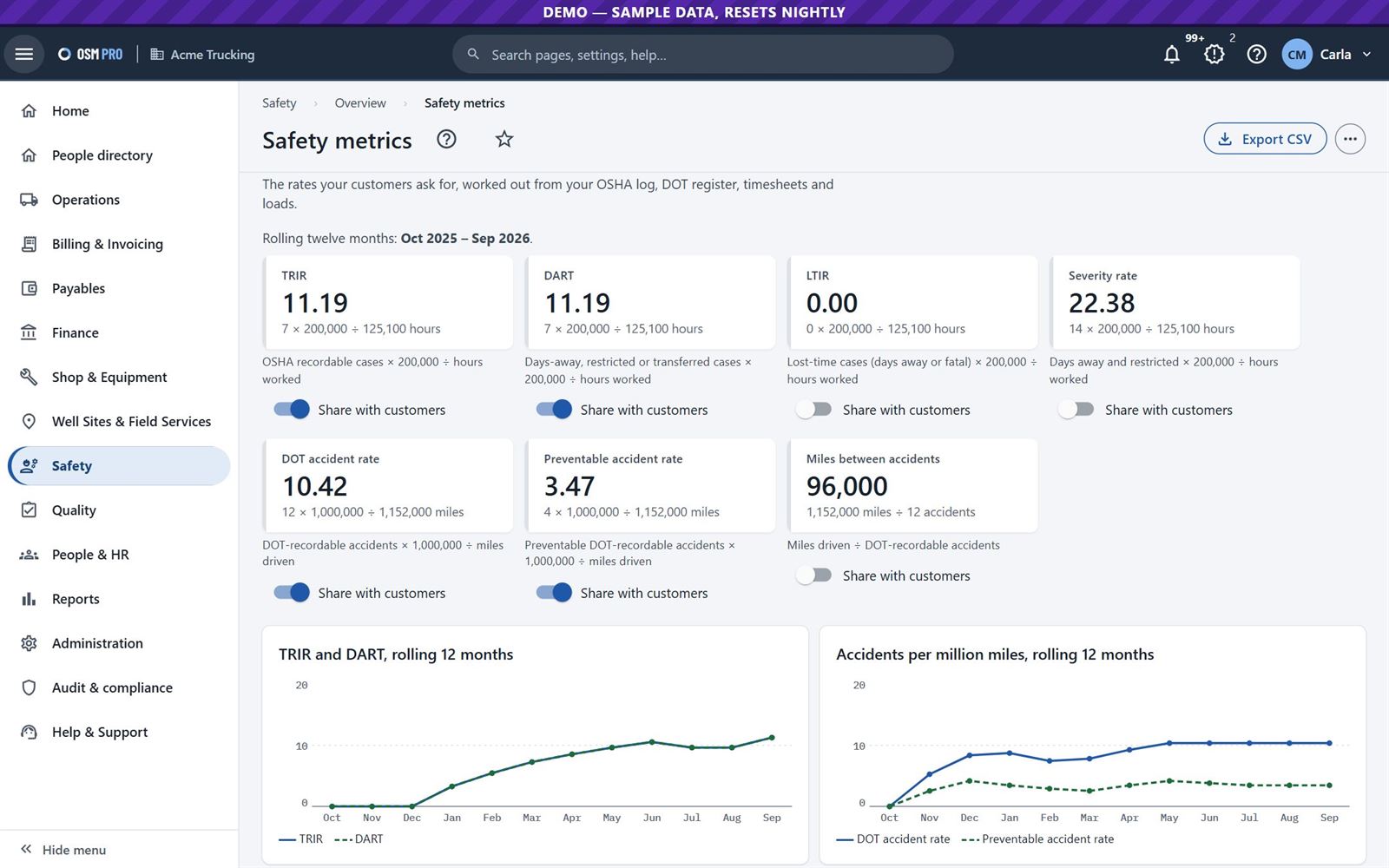
TRIR, DART, LTIR and preventable accident rates, worked out from your own records, shared with customers when you choose.
The DOT accident register and OSHA 300 and 300A logs.
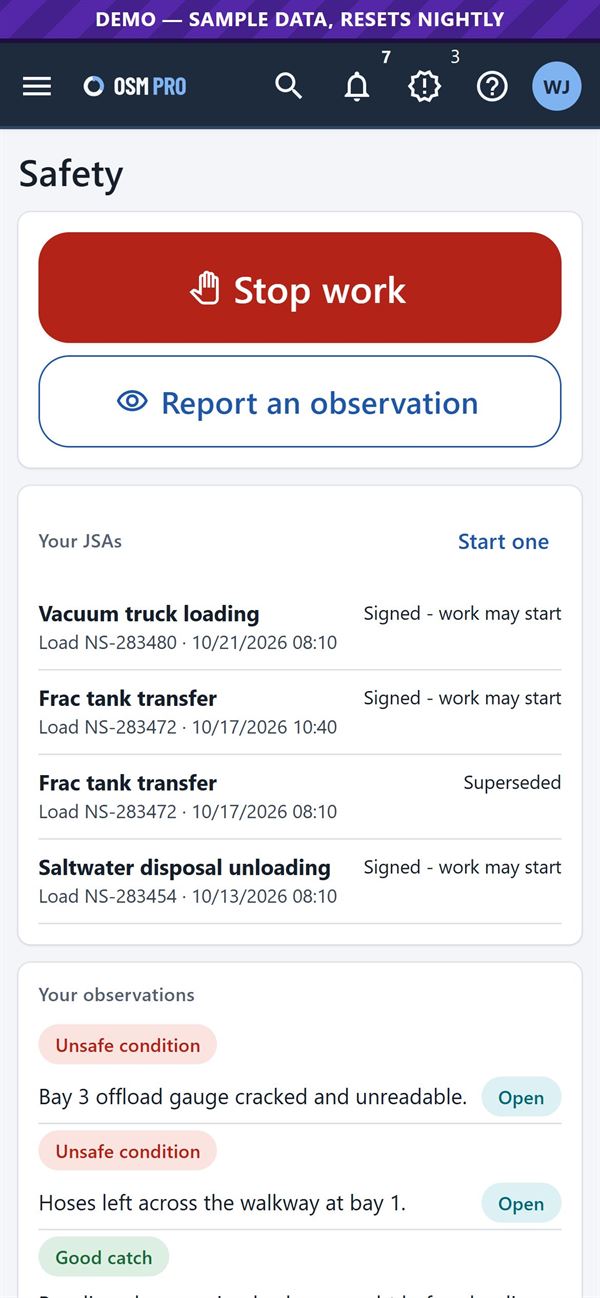
Drivers can stop work, report an observation and sign a JSA from the phone.
Safety metrics over twelve months.Incidents, from report to closed.
13
People, qualifications and training
People and HR
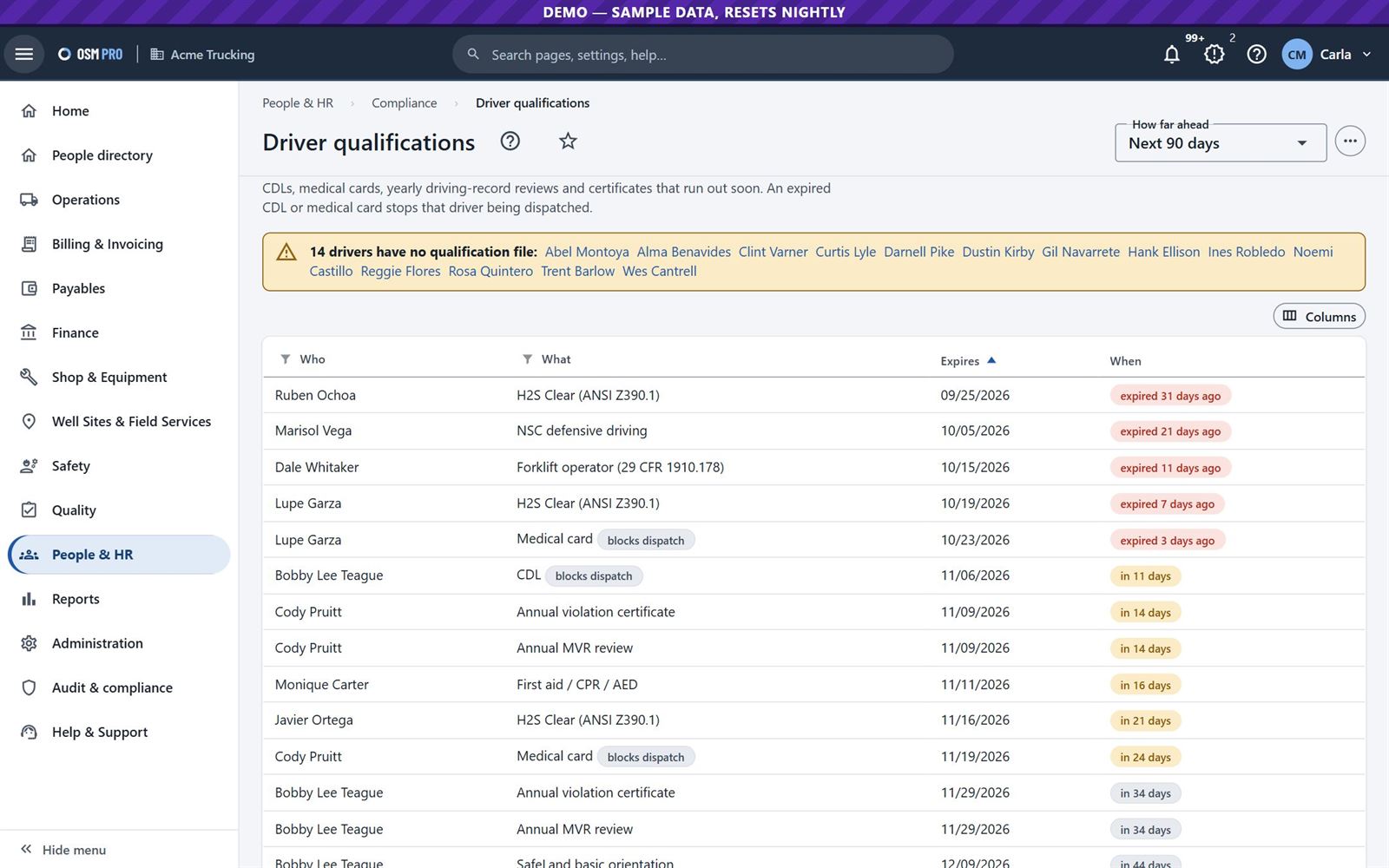
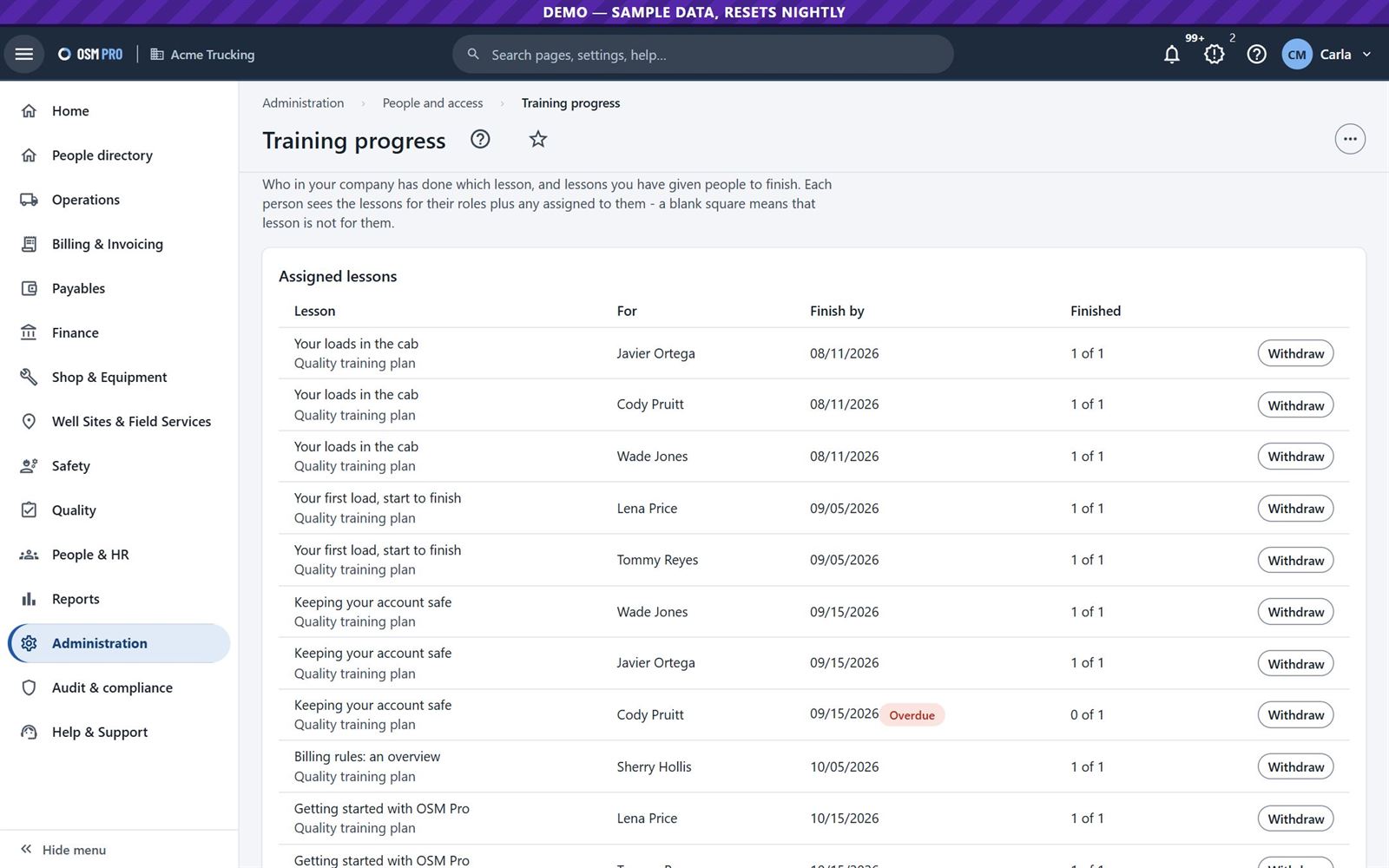
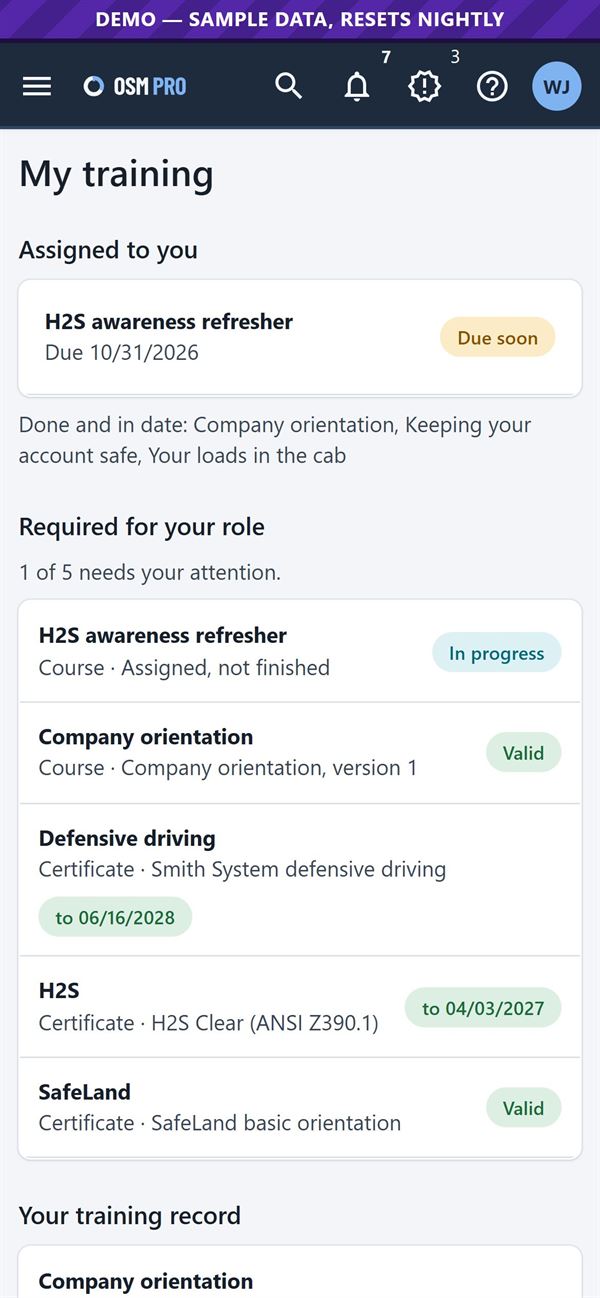
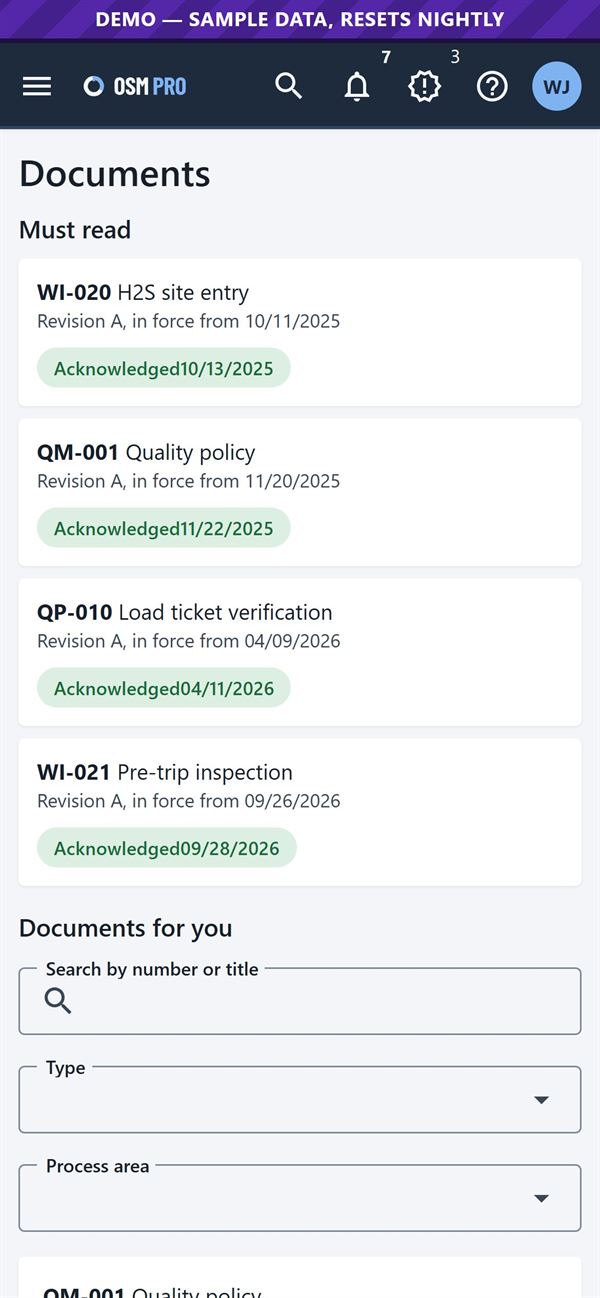
Employee records, driver qualification files with expiry alerts, drug and alcohol testing, time off and time clocks. My training lists the courses each role needs, with quizzes and certificates.
Qualifications that run out soon; expired ones block dispatch.Training progress for every person.
The driver's own training.Stop work, observations and JSAs.Documents to read and acknowledge.
14
Well sites and field services
Energy company and service company
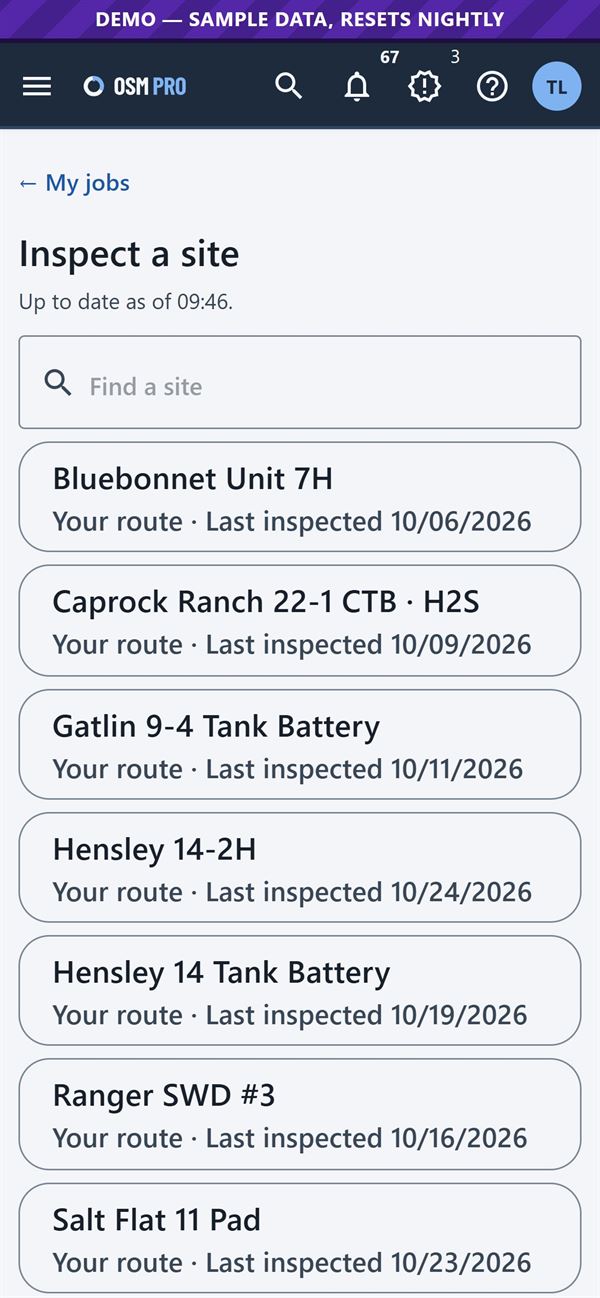
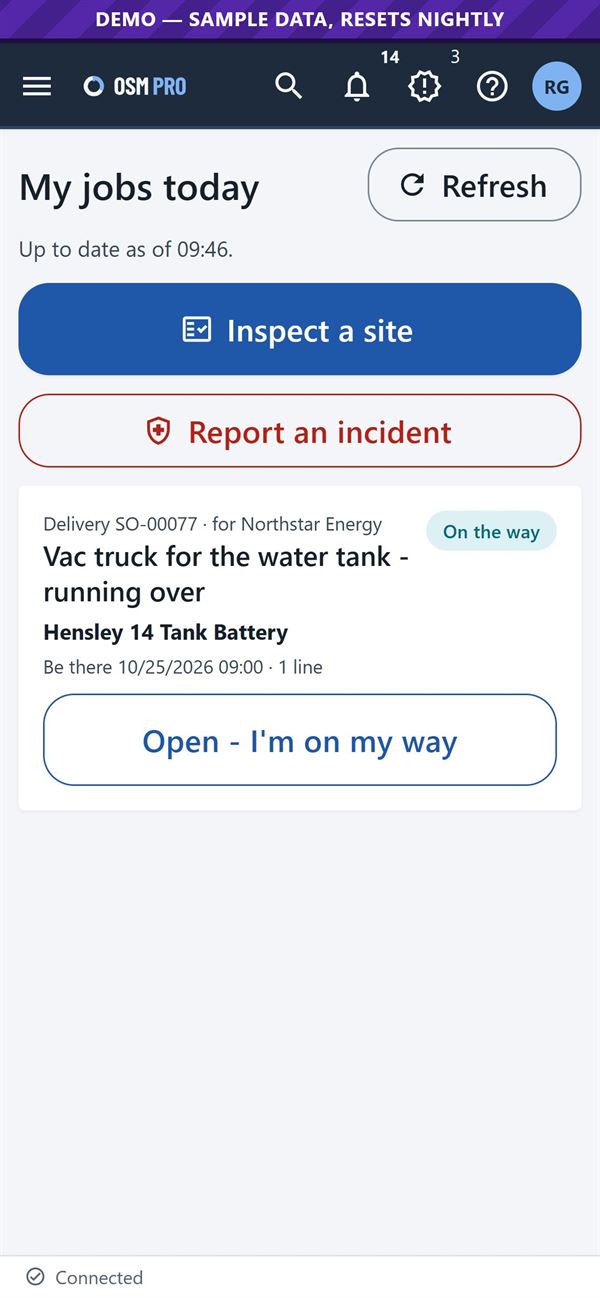
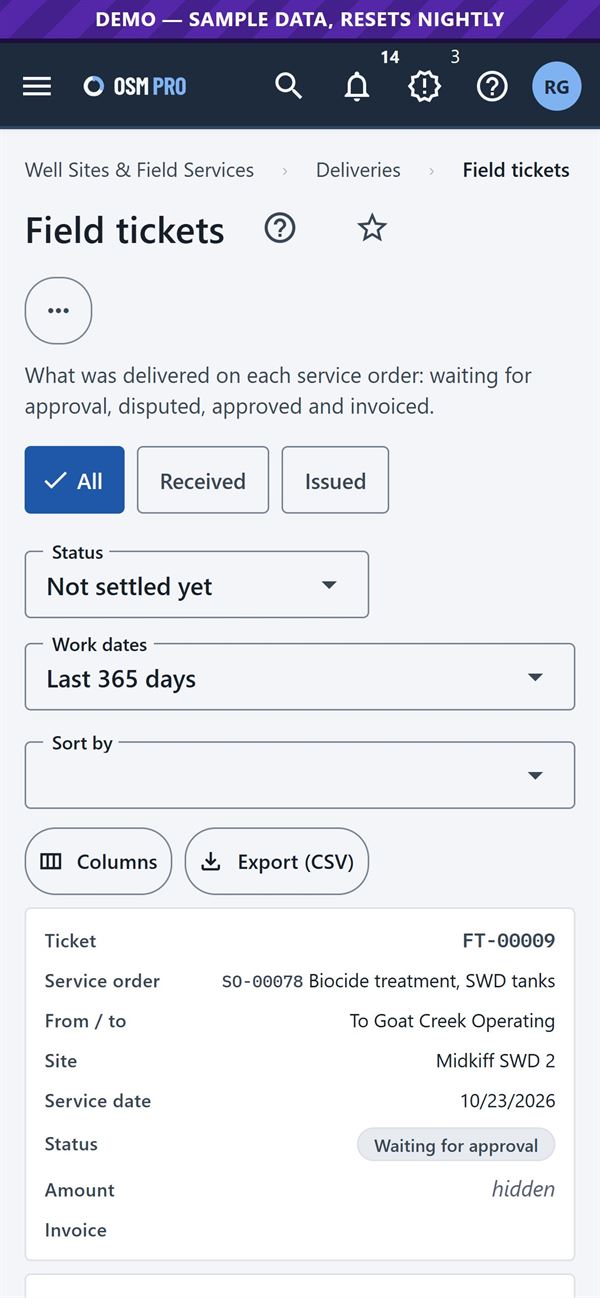
Keep well sites, wells and site equipment. Pumpers' inspection checklists work offline and can open work orders. Request deliveries or services from service companies, priced from their price books; technicians deliver and collect a signature on the phone.
A pumper's route.A technician's jobs today.Field tickets waiting for approval.
15
Quality, compliance and control
Quality and audit
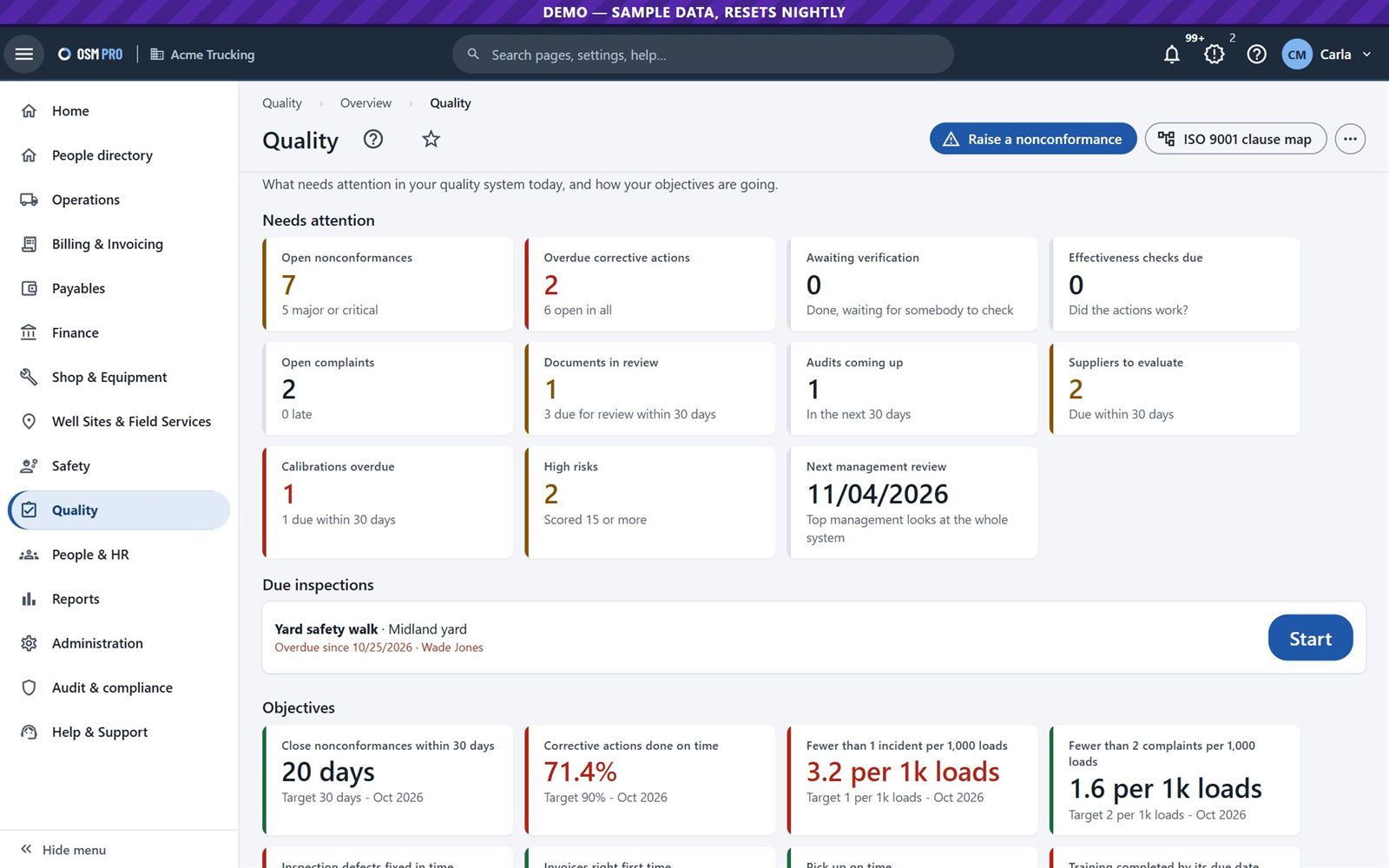
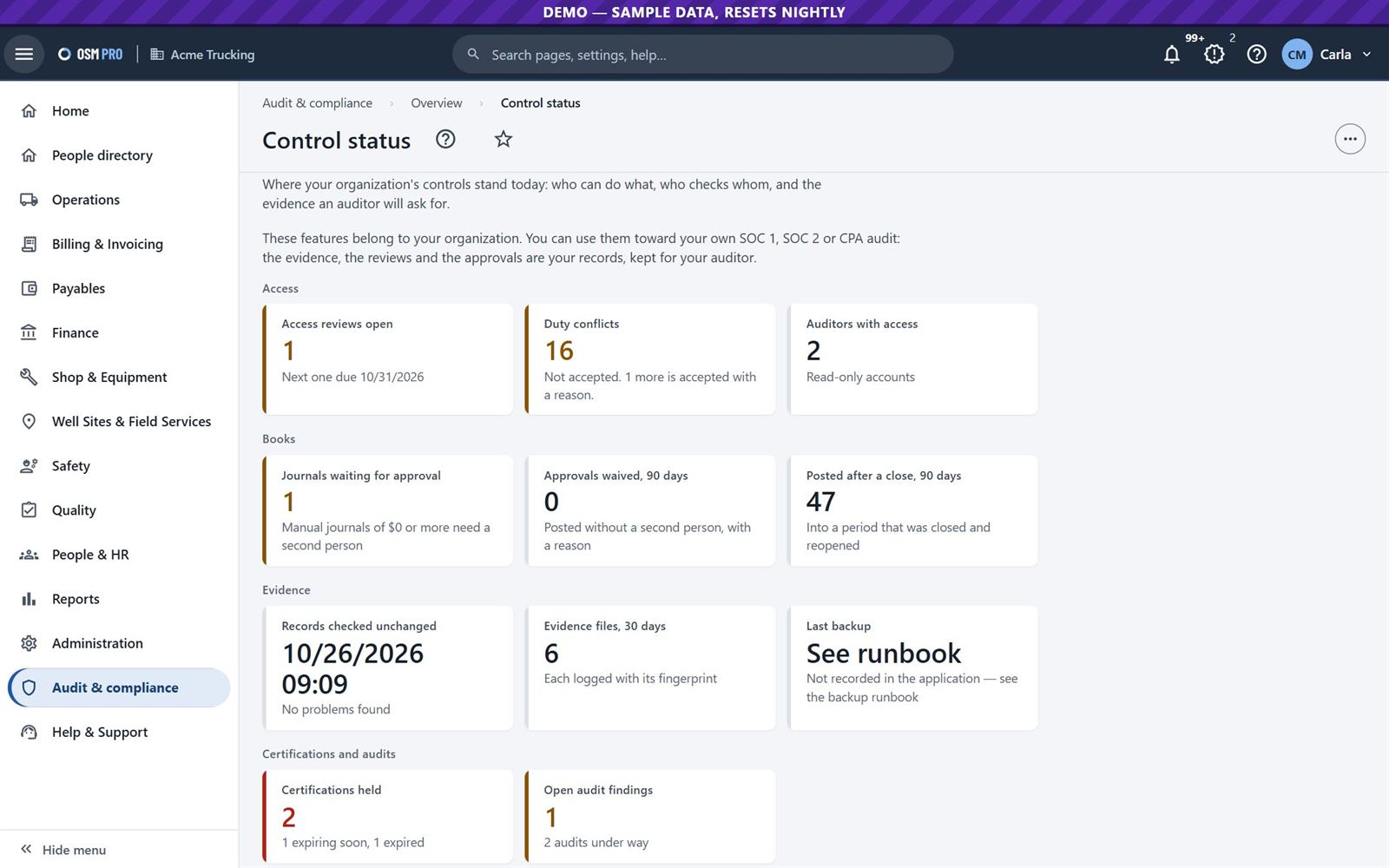
Nonconformances, corrective actions, controlled documents and internal audits, with an ISO 9001 clause map. Roles are built from job templates down to which fields each role can see, and duty conflicts are flagged.
Quality: what needs attention and how objectives are going.Control status, ready for your auditors.
16
Reports and help on every page
Everyone
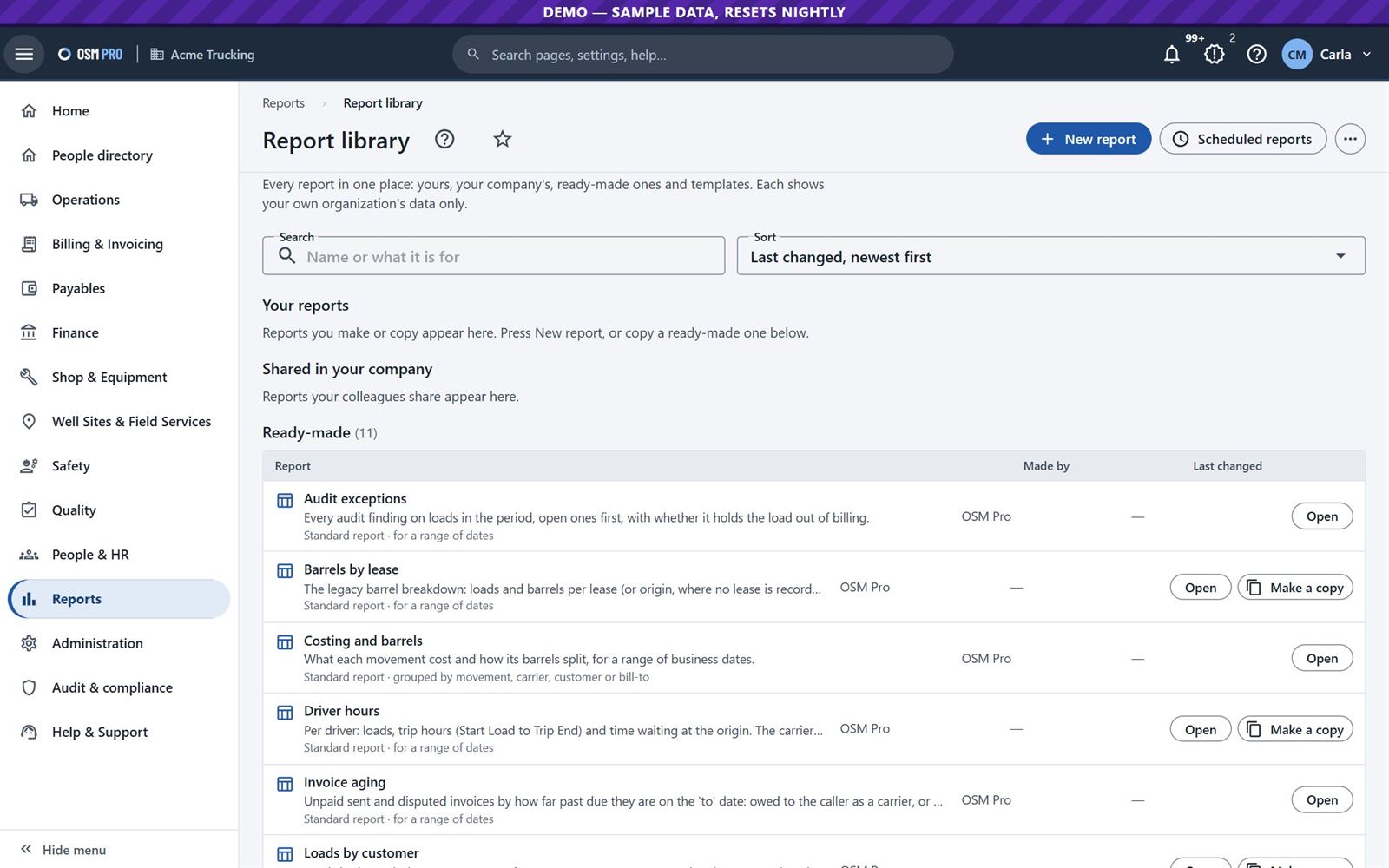
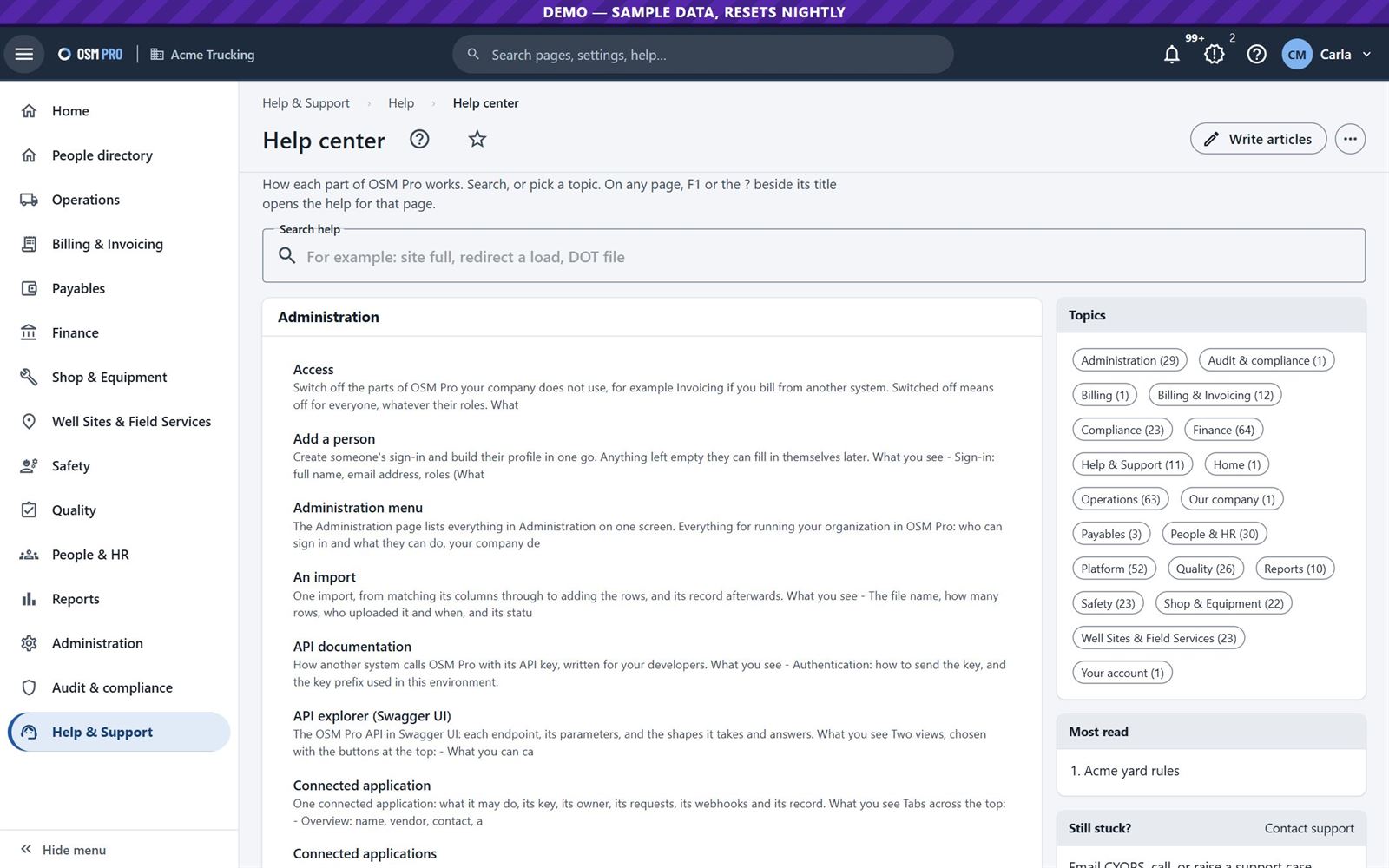
Start from ready-made reports or build your own: choose columns, filter, group, total and chart. Print, save as PDF, export to Excel, or email any report now or on a schedule. Each person sees only what their role allows. Press F1 on any page for help.
The report library.The help center.
Try it yourself
Open the demo, choose a sample sign-in from the list beside the sign-in form, and press Sign in. These are the ones used in this tour. The demo is sample data only and resets every night.